One app that puts parents inside the
classroom
A parent-facing mobile companion for schools: register the family, track home learning, confirm daily tasks and share classroom media in one account.
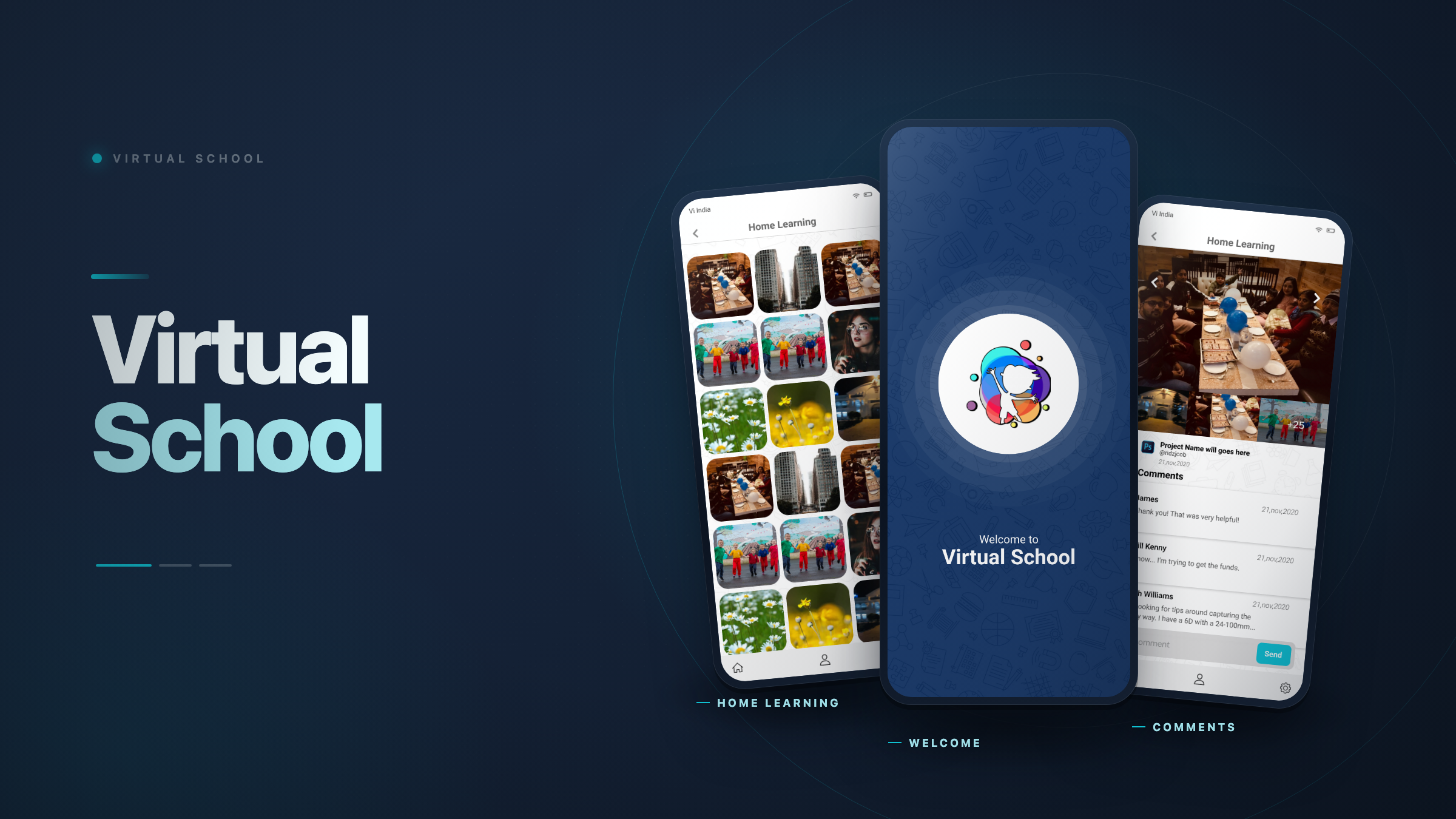
School comms, rebuilt around the parent account?
Parents were chasing school updates across paper diaries, group chats and email threads. Virtual School collapses all of it into a single mobile account that can hold multiple children — each one linked to a named school and class, so a family with kids in different year groups still logs in once.
We designed the full parent journey end to end: a code-gated registration that ties every account to an institution, a home hub that fans out to five destinations, an assignment feed with upload and feedback, a Yes/No daily task check-in, and a moderated Virtual Wall where classroom photos and video live behind an approval status.
- One parent account, many children, each mapped to a school and class
- School code field gates registration per institution
- Five core destinations reachable from every home screen variant
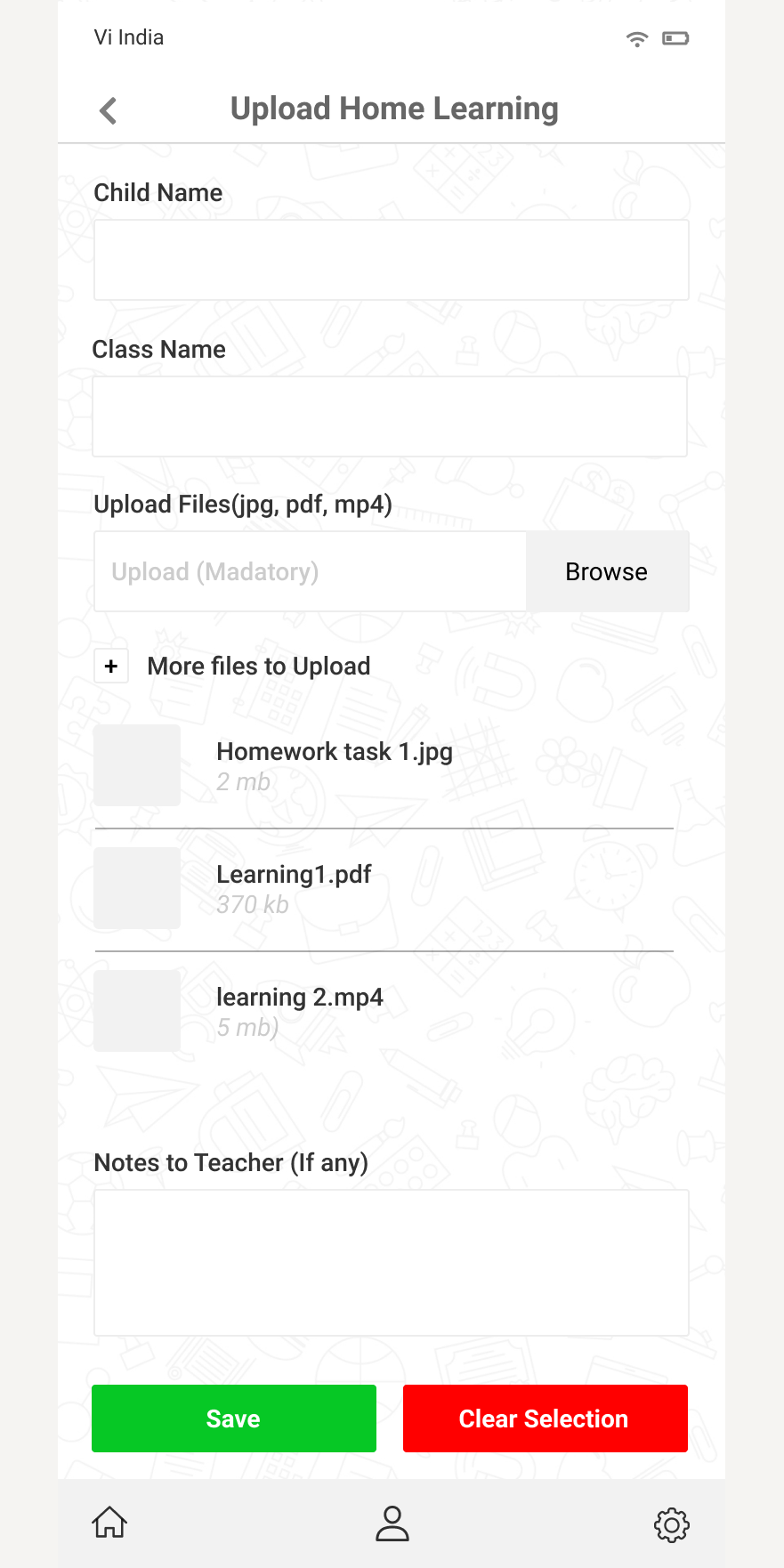
- Uploads scoped to jpg, pdf and mp4 with a note to the teacher
- Virtual Wall posts carry an approval status before they go live
Four things standing between parents and the school
Teachers author everything on the school side; parents just need to receive, act and respond. The friction was all in the middle.
One parent, several children
Families with kids across classes and even schools were juggling separate logins. The account model had to nest multiple children under one parent without duplicating profiles.
Open sign-up wasn't an option
Schools needed certainty that only their community could register. Every account had to be bound to an institution at the moment of sign-up.
Home learning got lost
Assignment dates, submissions and teacher feedback lived in different places, so parents couldn't tell what was outstanding, mandatory or already marked.
Classroom media needed a gate
Sharing photos and video of children demanded moderation. Nothing could reach the wall without a visible approval state attached to it.
Code-gated sign-up
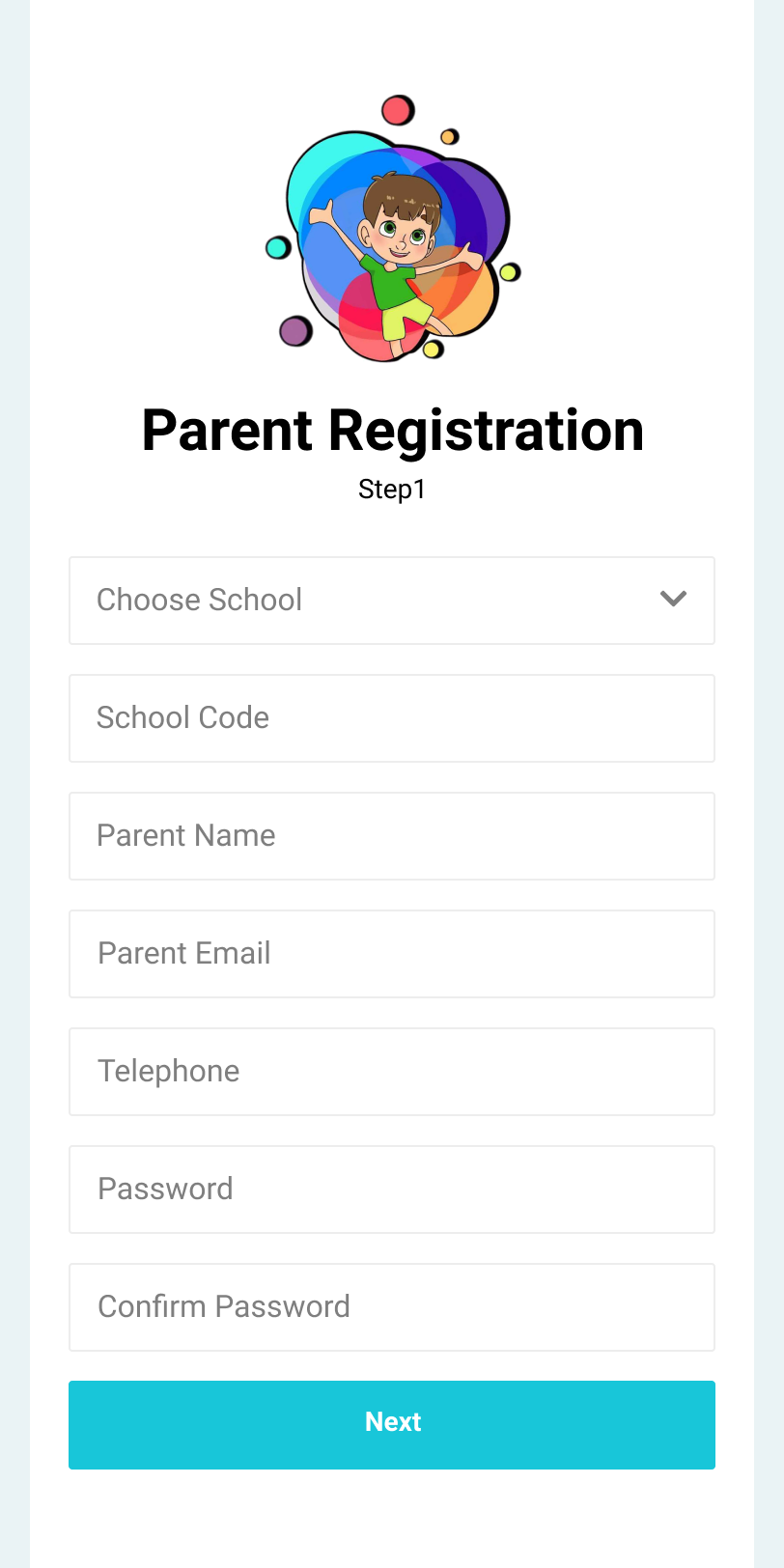
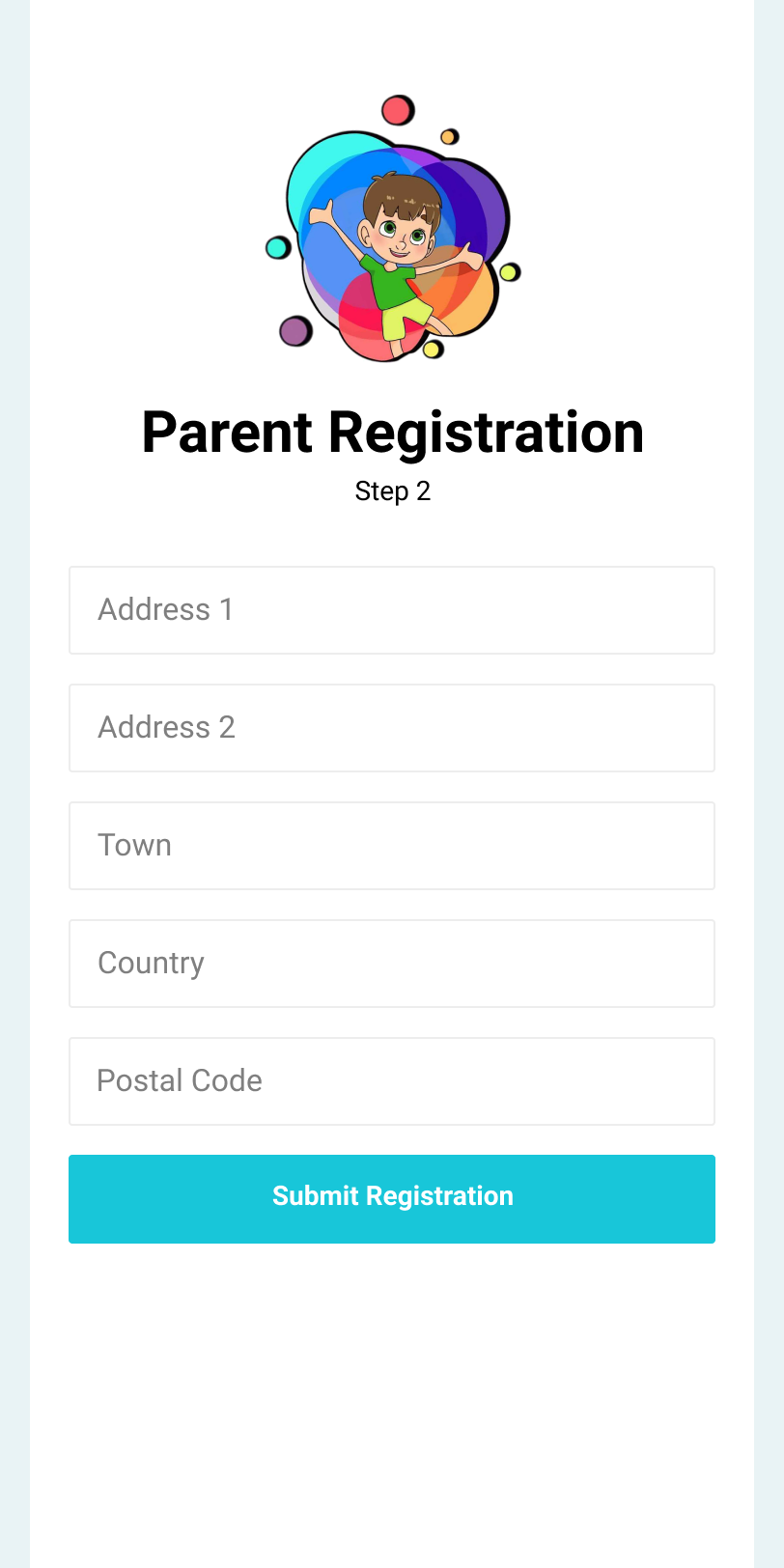
A two-step registration: school dropdown and school code first, then address, town, country and postal code — so every account is bound to a real institution before anyone finishes typing.
Login and recovery
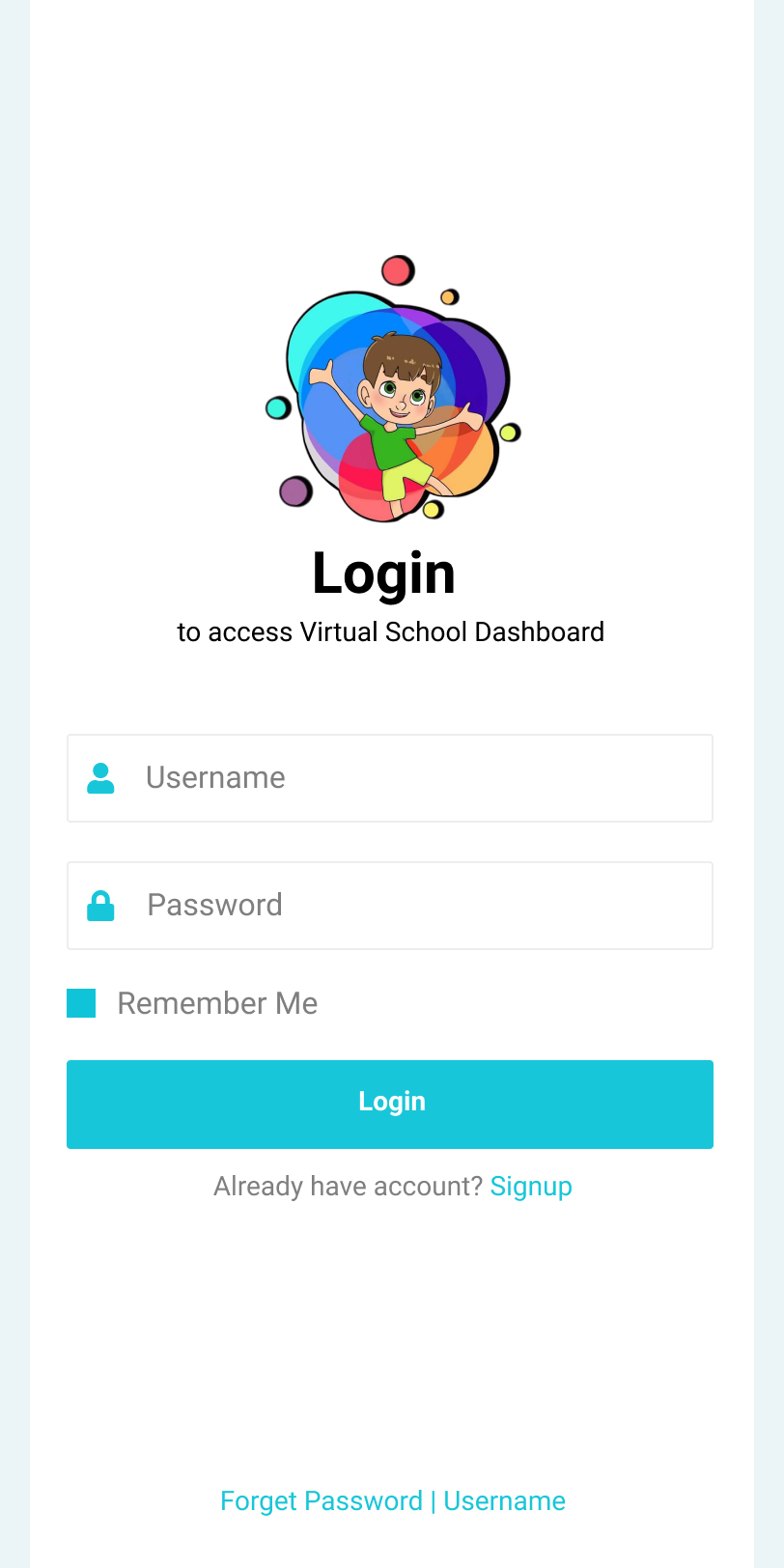
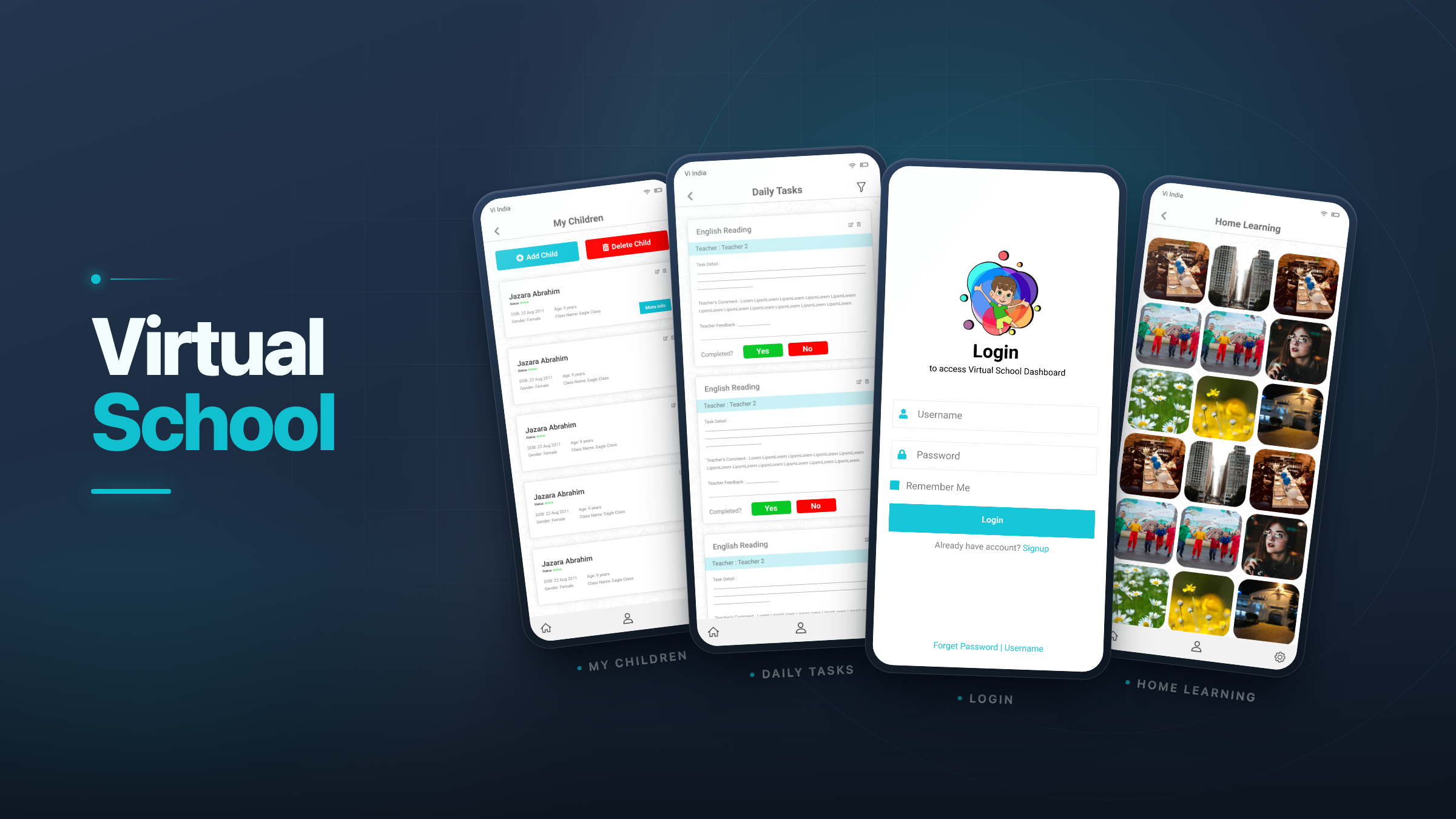
Login carries a Remember Me toggle and a single recovery link covering both password and username, so a parent locked out at 7am has one thing to tap.
My Children
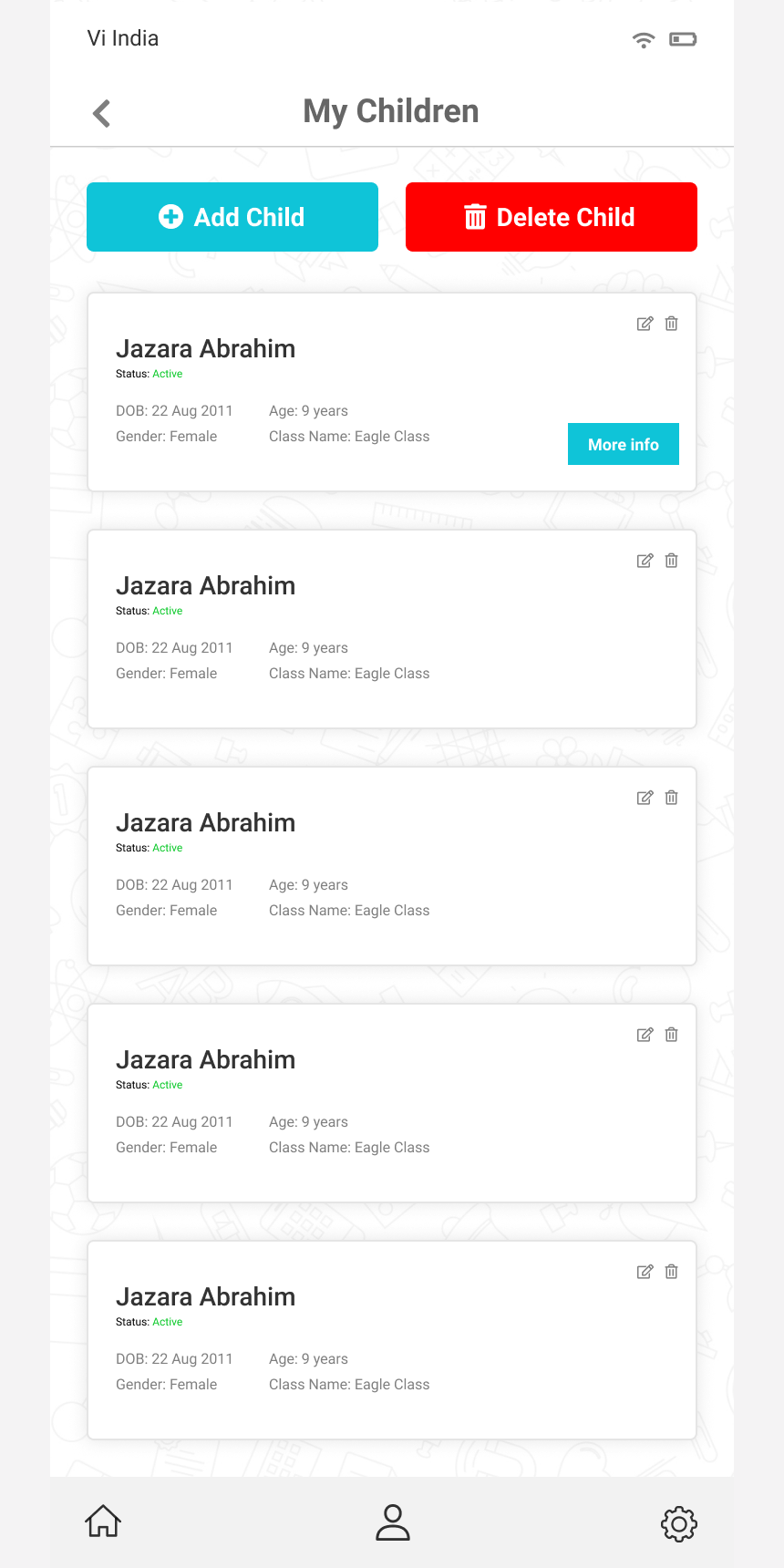
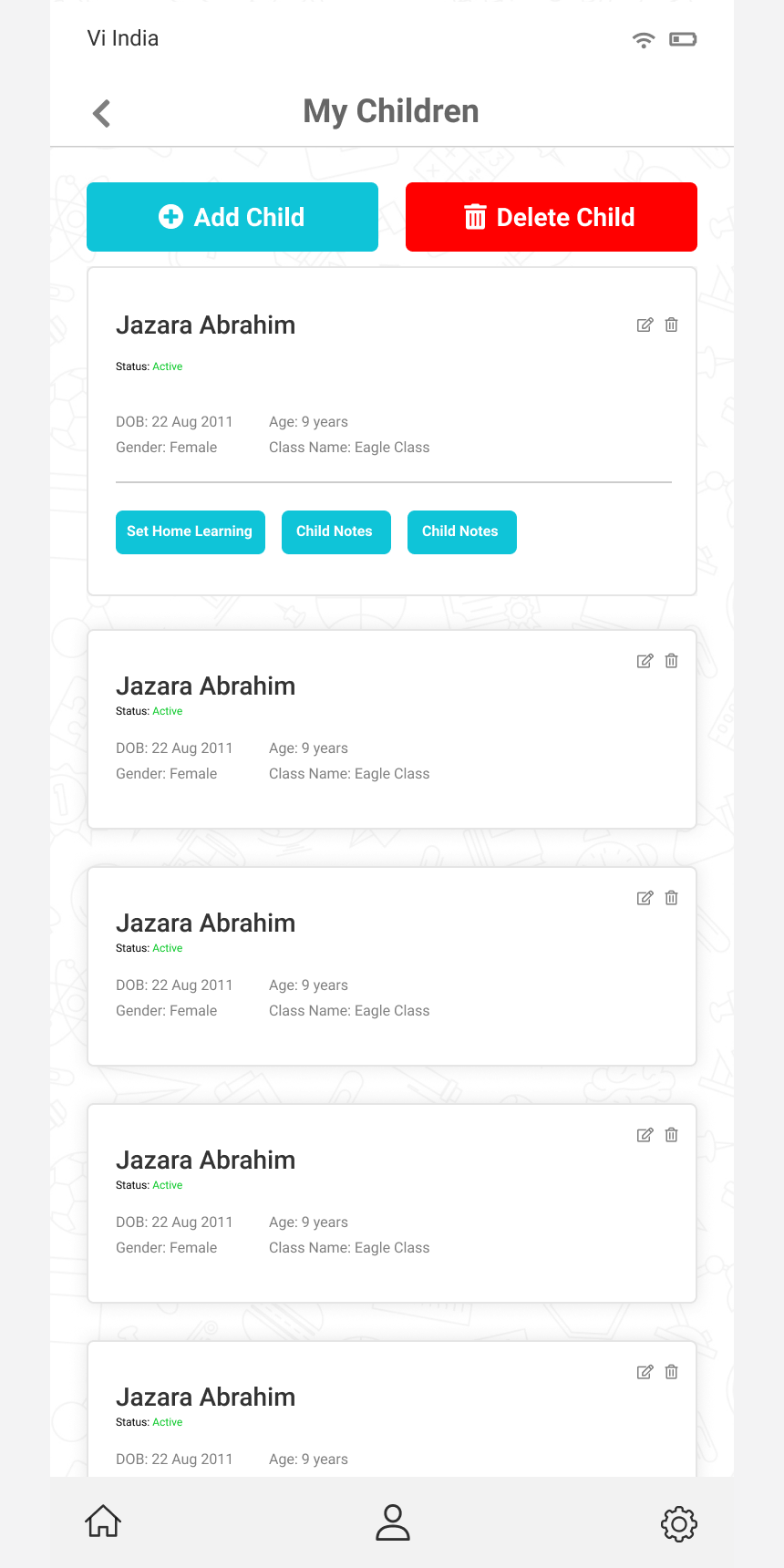
Per-child cards show status, date of birth, age, gender and class, with edit and delete actions and an expandable state revealing Set Home Learning and Child Notes.
Add a child
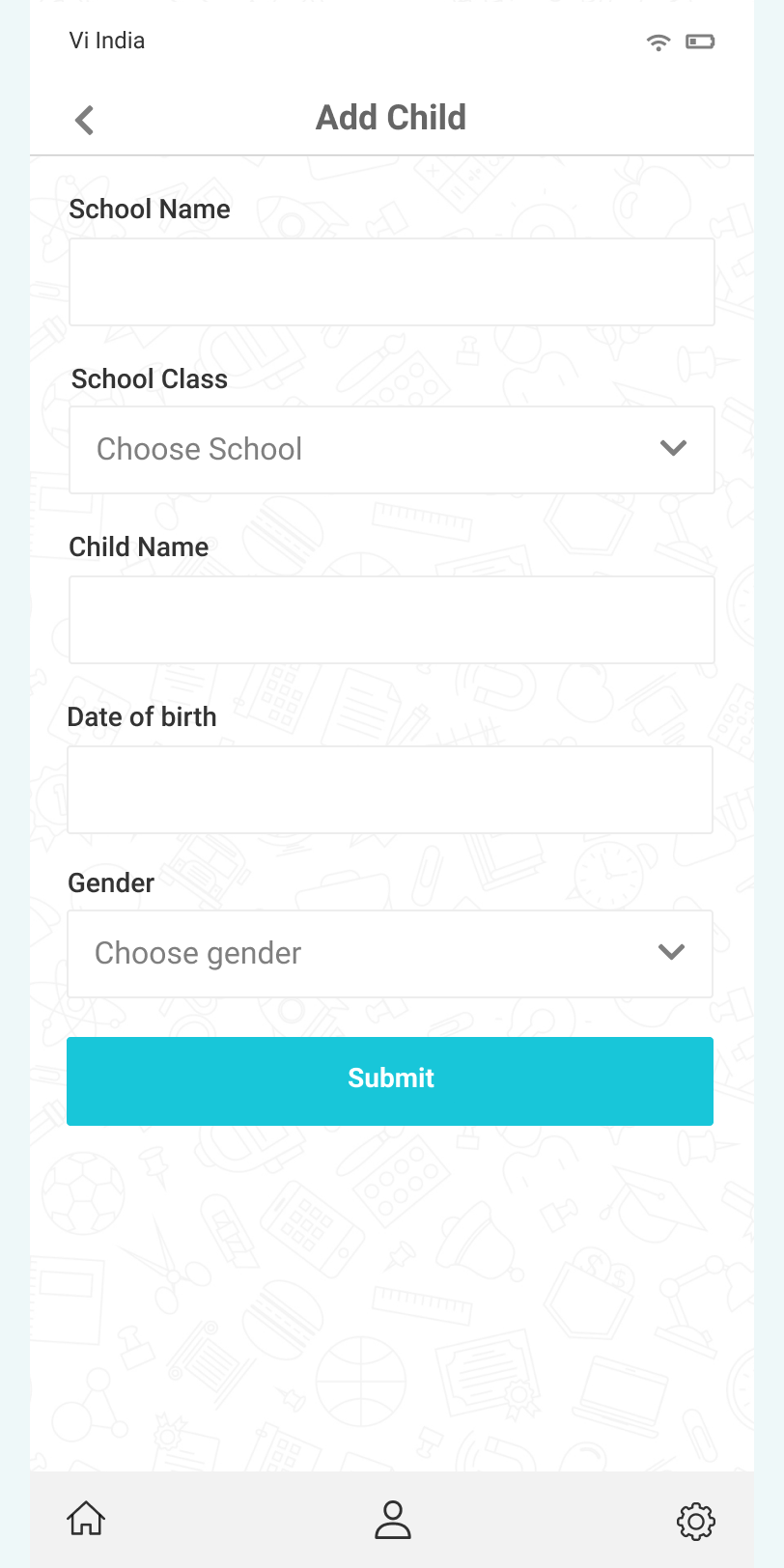
A dedicated form captures school, class, name, date of birth and gender, so a second or third child joins the same parent account rather than a second login.
Home learning feed
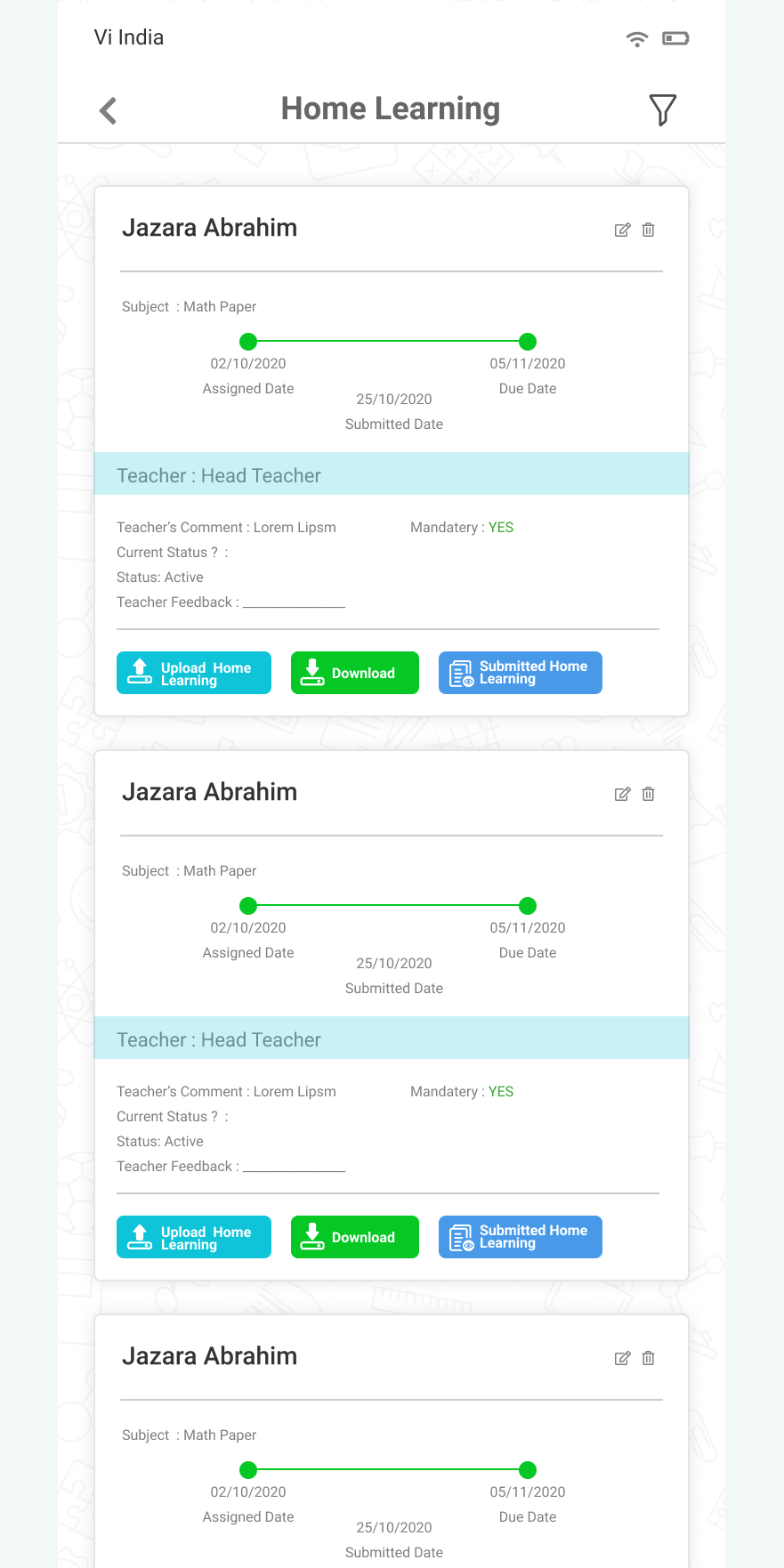
Assignment cards run a progress line between assigned, submitted and due dates, plus teacher comment, mandatory flag, live status and returned feedback.
Set Home Learning
Assigning work runs the other way: pick the dates, the class and the child, and the task lands in that family's feed.
Upload with a note
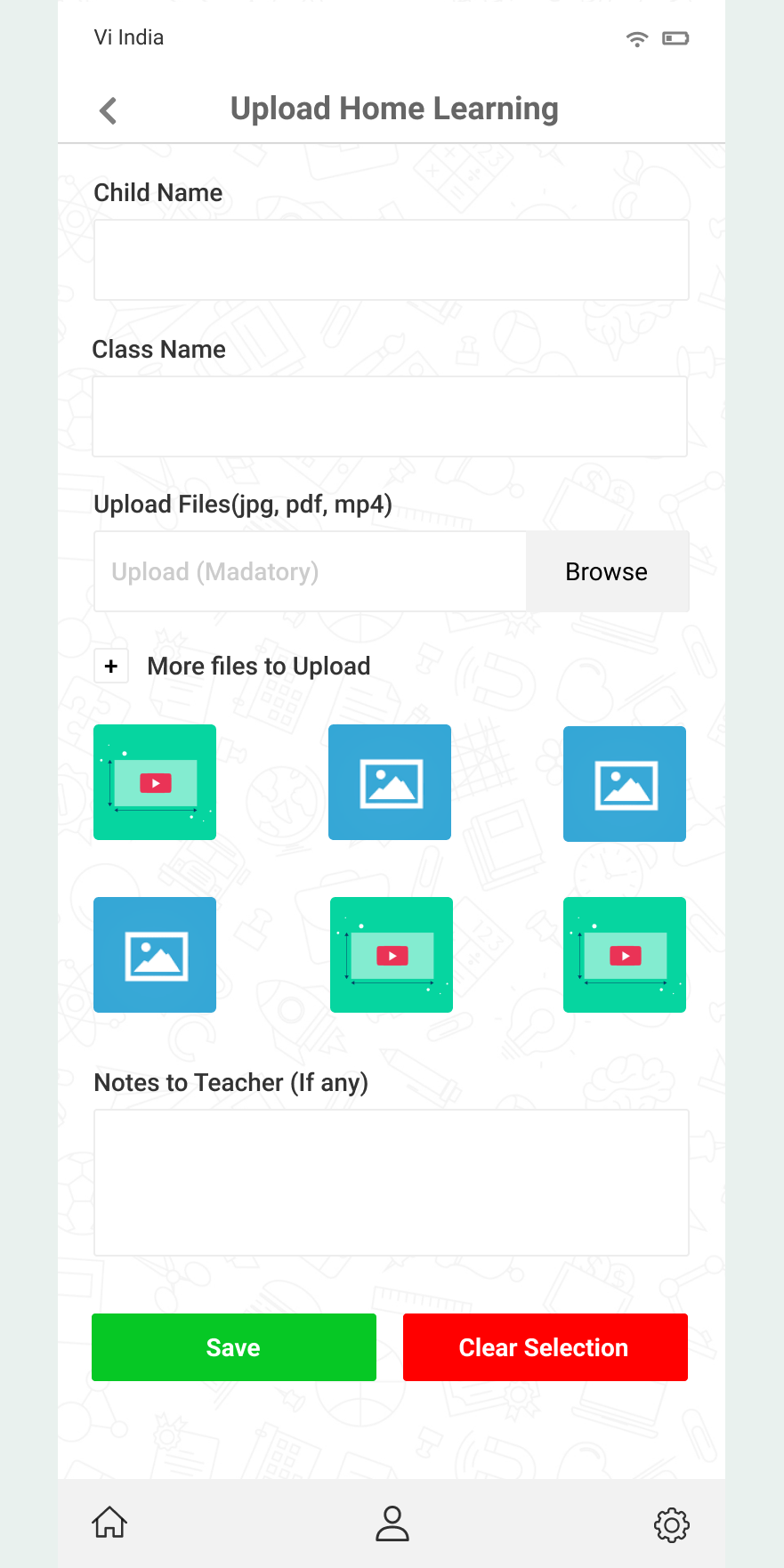
Browse and attach jpg, pdf or mp4, add more files, review the attached list with sizes or a thumbnail grid, then leave a free-text note for the teacher.
Virtual Wall
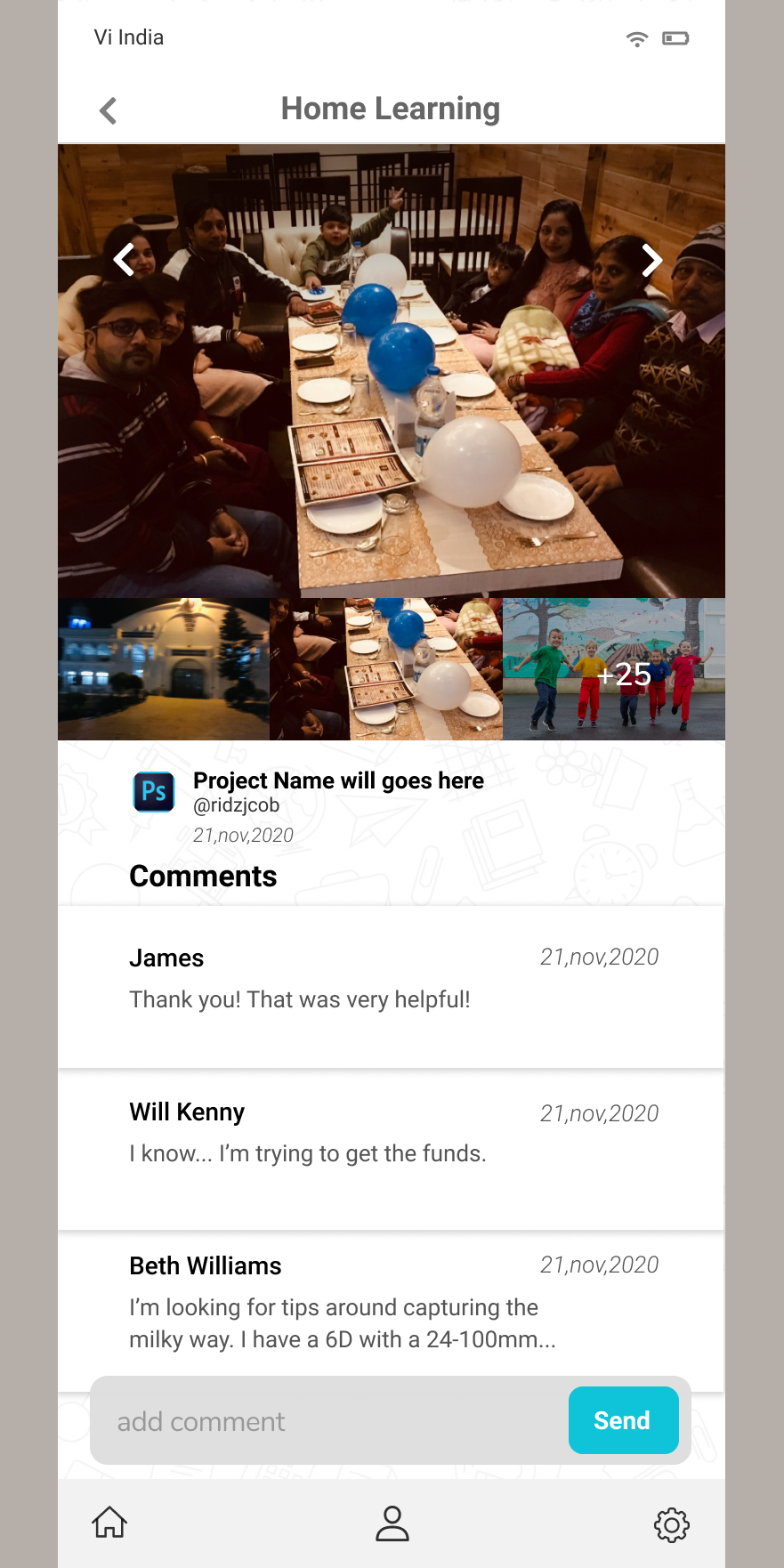
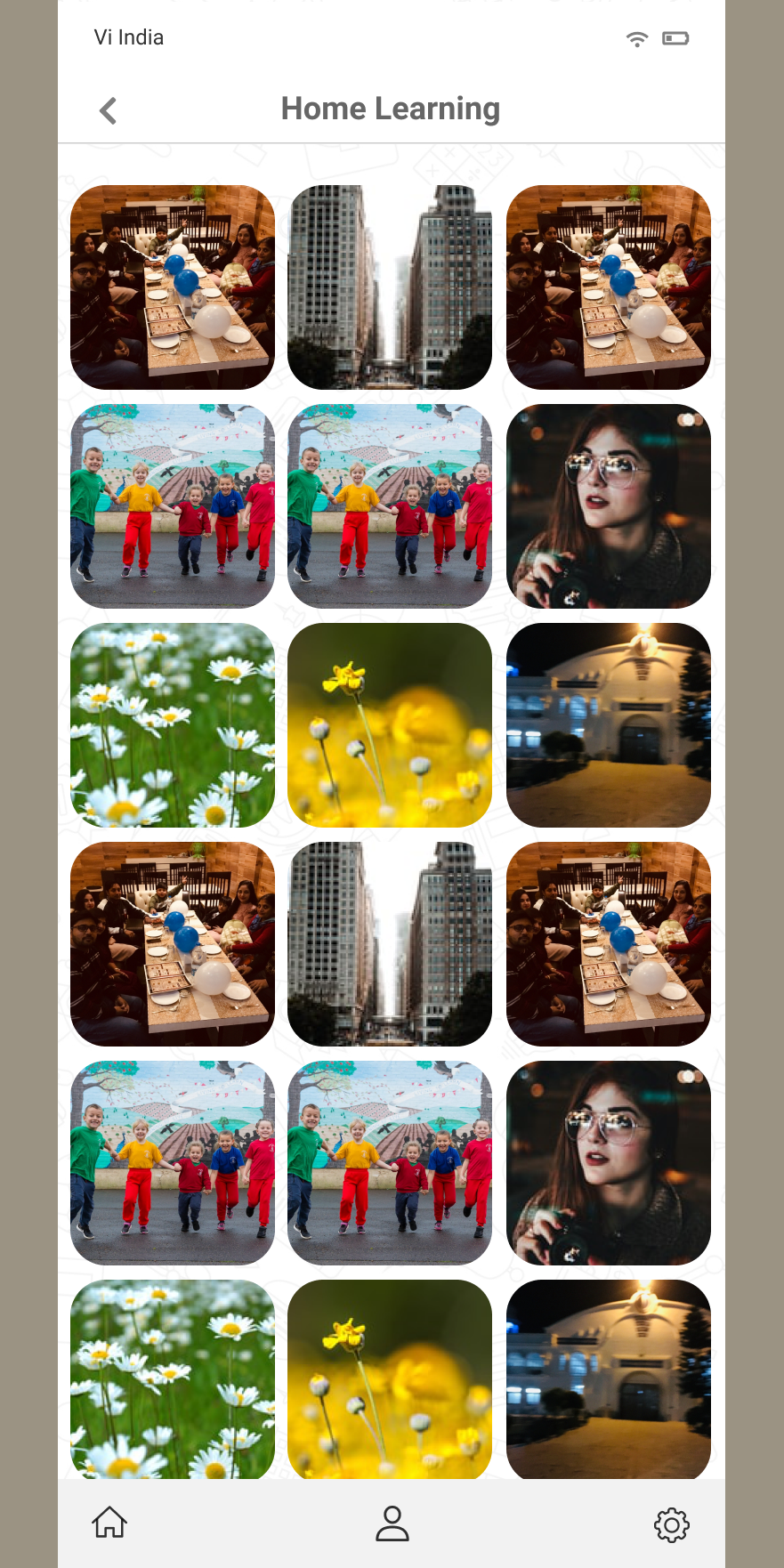
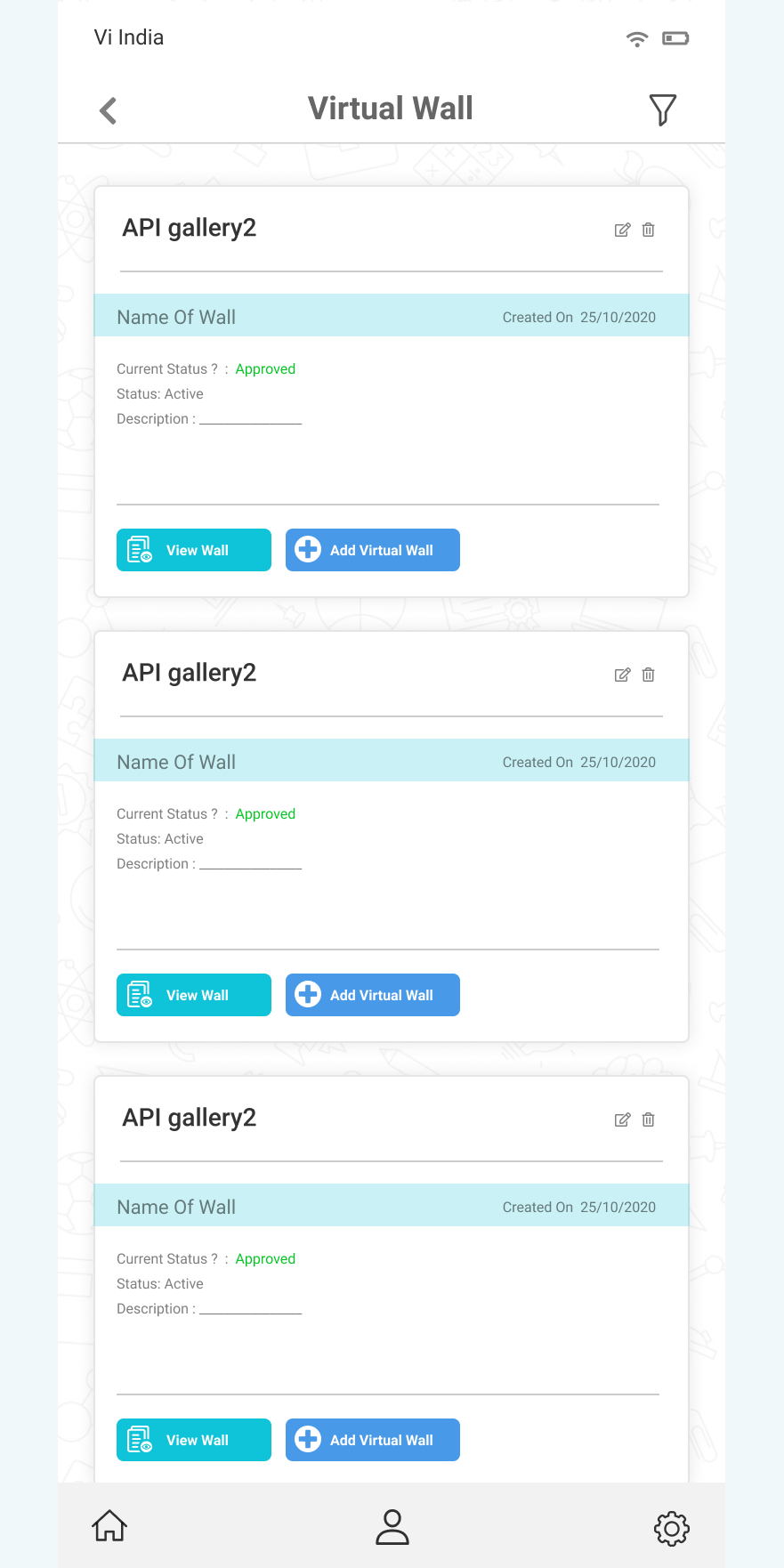
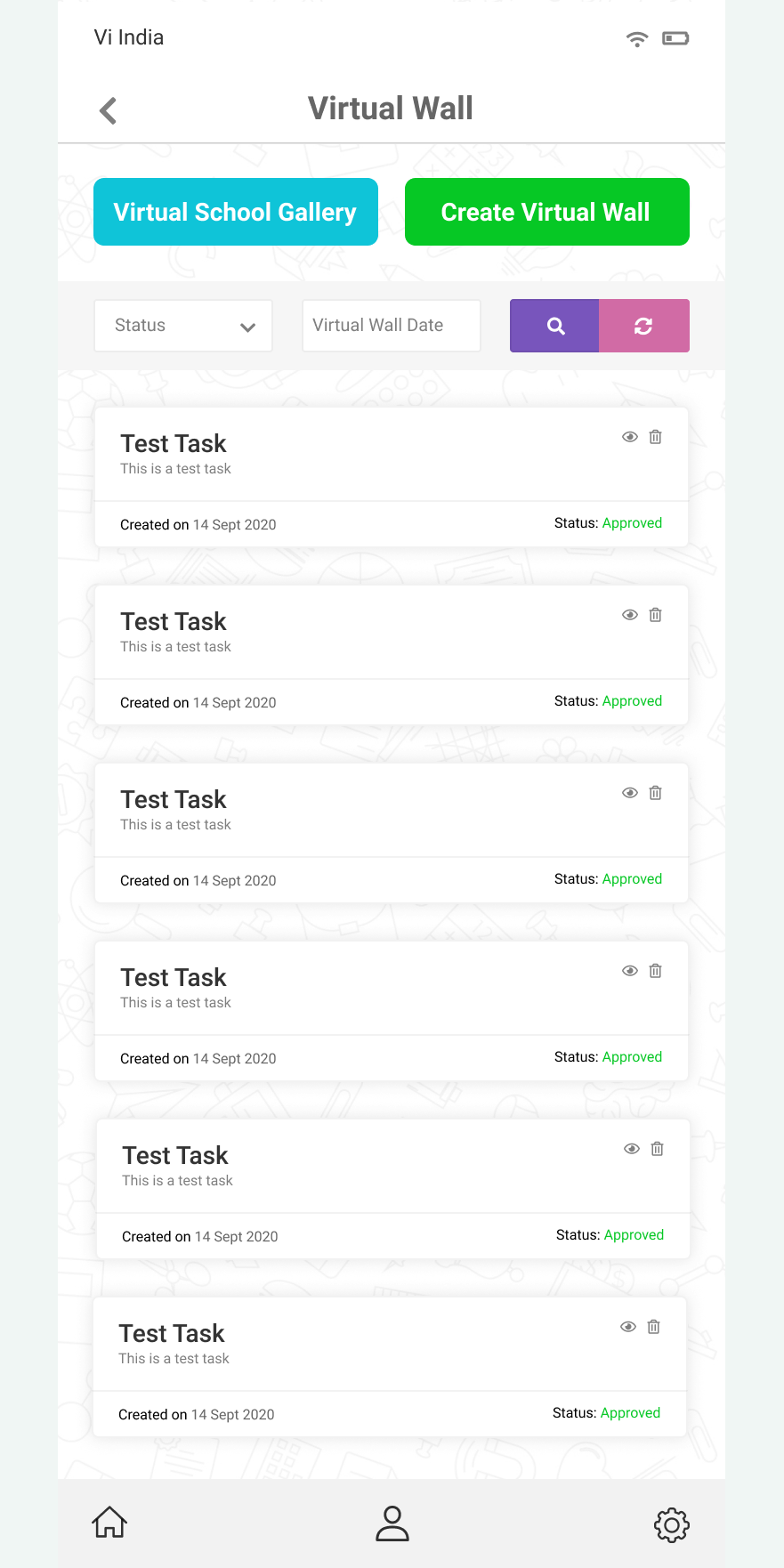
A moderated media wall: list view with creation date and approval status, plus a school gallery with inline filters and a carousel viewer with threaded comments.
Posting to the wall
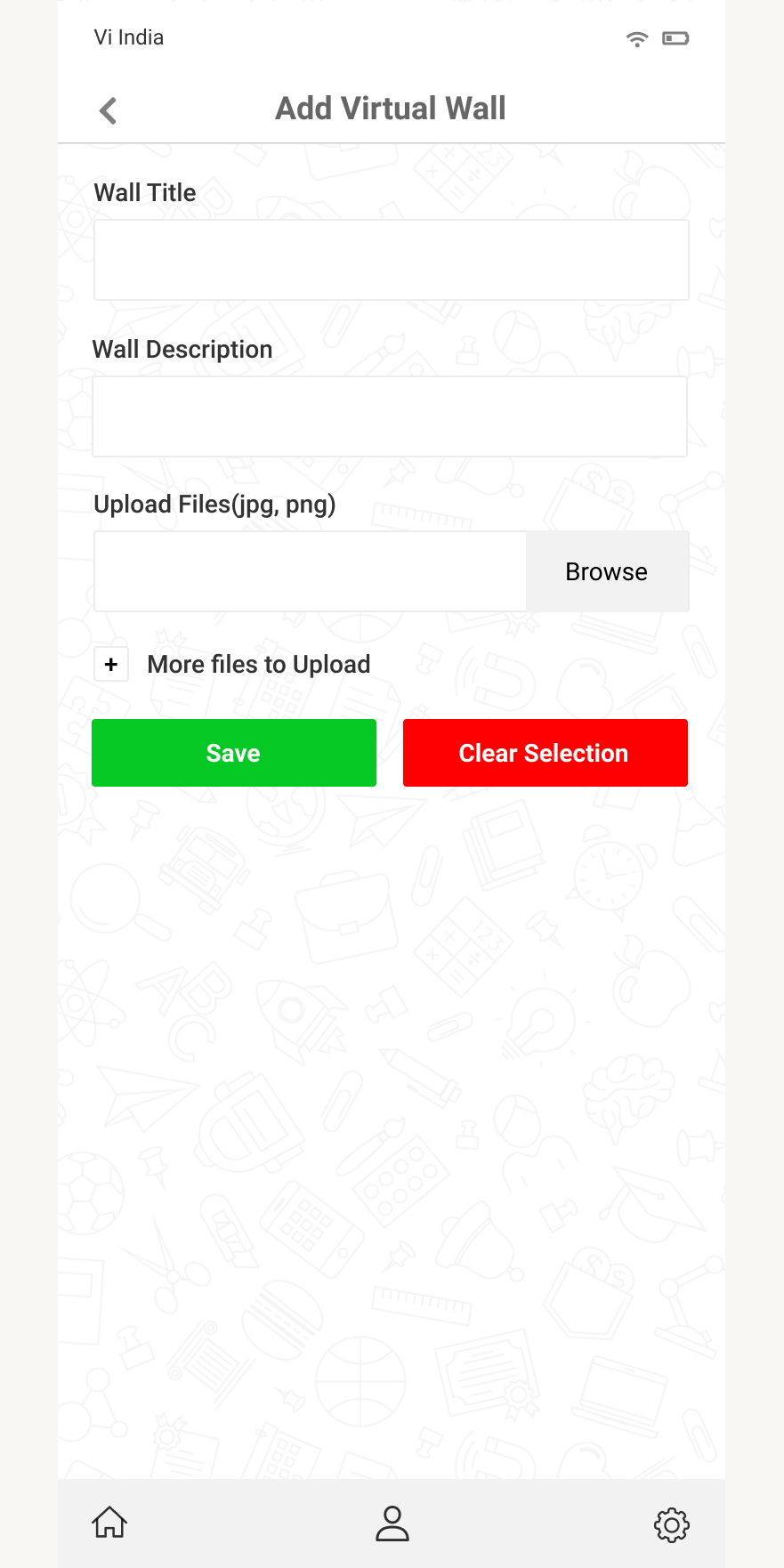
Posts are composed with a title, description and image uploads, then sit behind an approval status before anything reaches the wall.
Daily tasks & filters
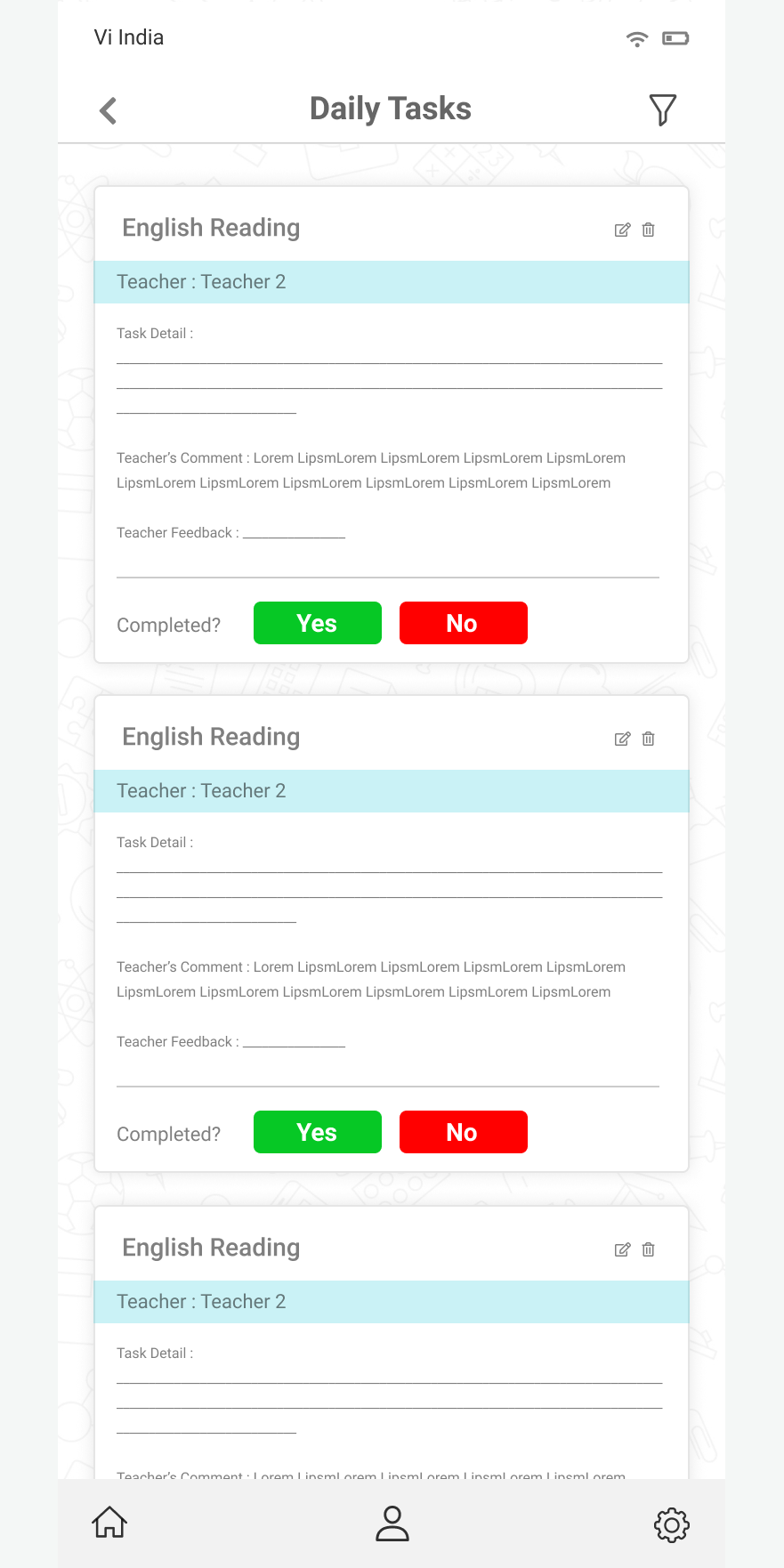
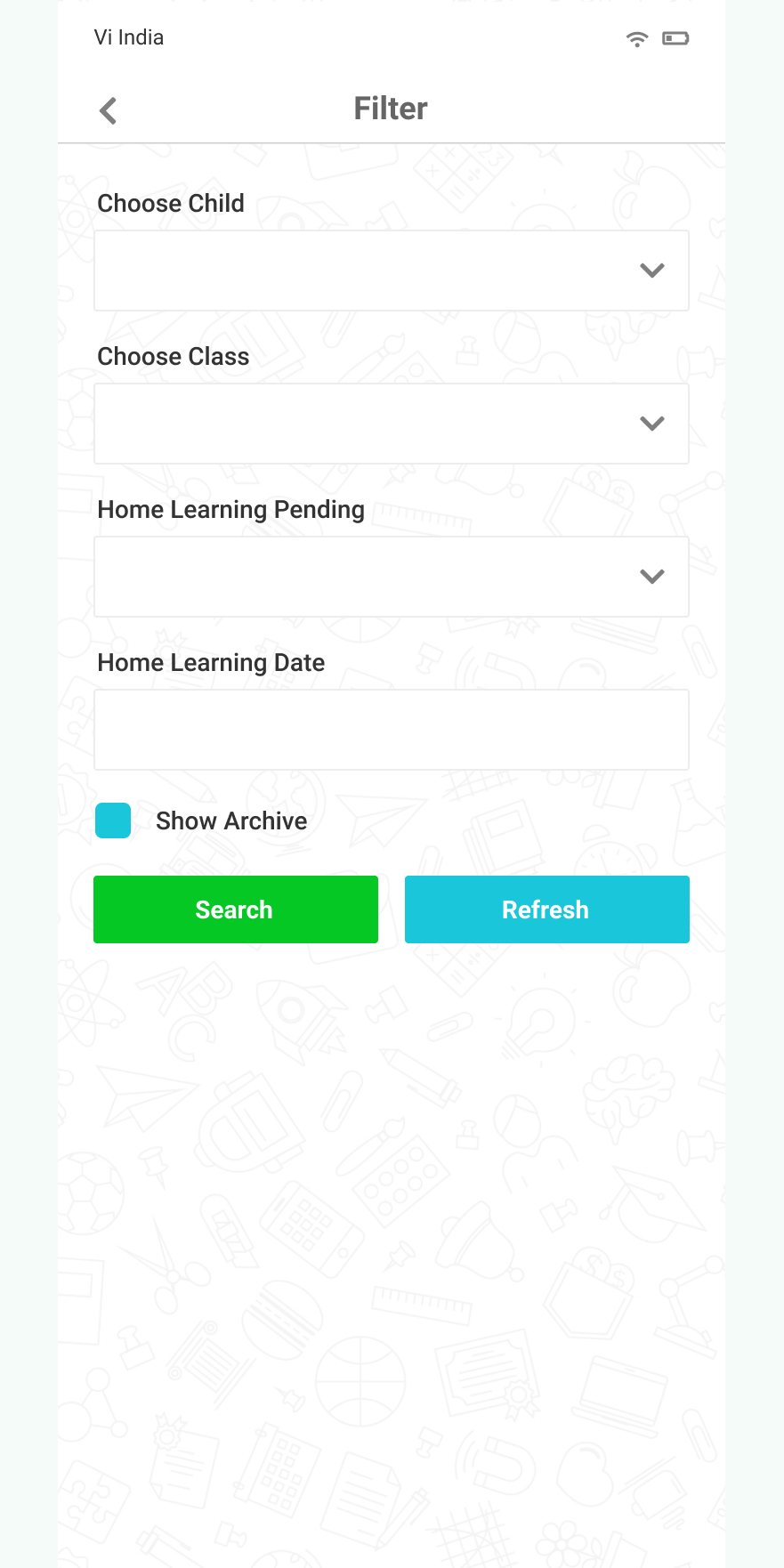
A card feed with teacher, task detail, comments and a one-tap Yes/No completion answer, backed by dedicated filter screens for home learning and the wall.
How we got there.
We worked outward from the account model, then pressure-tested the home screen with four parallel directions before locking the system.
Everything downstream depends on the parent-to-children relationship. We fixed the data shape early — one account, many children, each bound to a named school and class — so assignment, task and wall screens could all filter on the same axis.
Registration was split in two so the institution check happens before anyone types an address. School dropdown plus school code in step one keeps accounts tied to a real school without adding manual approval work for staff.
We explored the hub as image cards with taglines, a full-bleed colour-block list and two dark treatments. Different personalities, identical information architecture — all four route to the same five destinations, so the school picks a look, not a structure.
A persistent bottom bar with home, profile and settings runs across every inner screen, with a filter icon in the header of list views. Parents never lose their place, and new screens drop into a frame that already exists.
Light gradient or dark navy — same system underneath.
The splash screen ships in two treatments over a doodle pattern of school icons, and the home hub follows suit. Schools choose the mood; the component library, spacing and routing stay identical.
Let's ship
the next one.
Tell us about your project. We'll come back within a business day with a scoped plan and a straight answer.