iPhone Duo App Development: How to Adapt Your iOS App for the Foldable iPhone
Learn how to prepare your existing iPhone app for the foldable iPhone Duo with responsive layouts, adaptive UI design, safe-area handling, and device-state testing. Discover what updates your app may need and how to create a consistent experience across different displays.

Pardip Bhatti
·6 min read
bg green: Quick Summary
- Existing iPhone apps can run on iPhone Duo, but may need layout updates.
- Responsive iOS app design helps interfaces adapt to different screen sizes.
- Adaptive UI design supports a consistent experience across folded and unfolded displays.
- A screen-by-screen audit helps businesses plan the required updates.
Can Existing iPhone Apps Work on iPhone Duo?
Yes. Existing iPhone apps can run on iPhone Duo, but running an app is not the same as optimising it.
Apps built with the appropriate iOS SDK can take better advantage of the available display space. However, fixed layouts, outdated screen assumptions, and poor safe-area handling may affect the user experience.
The key question: Does the existing app adapt naturally when users move between displays?
What Happens Without the Right Updates?
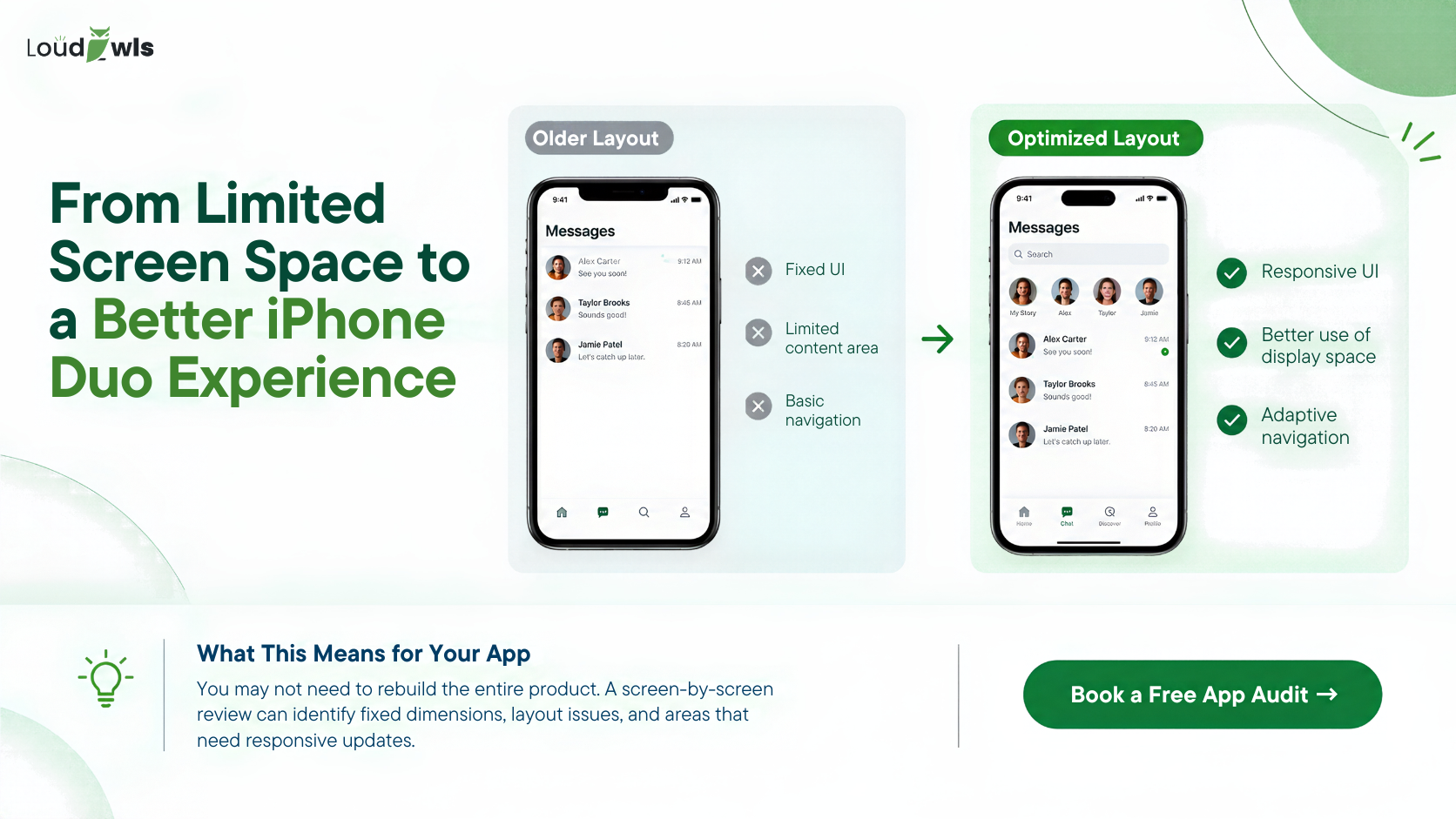
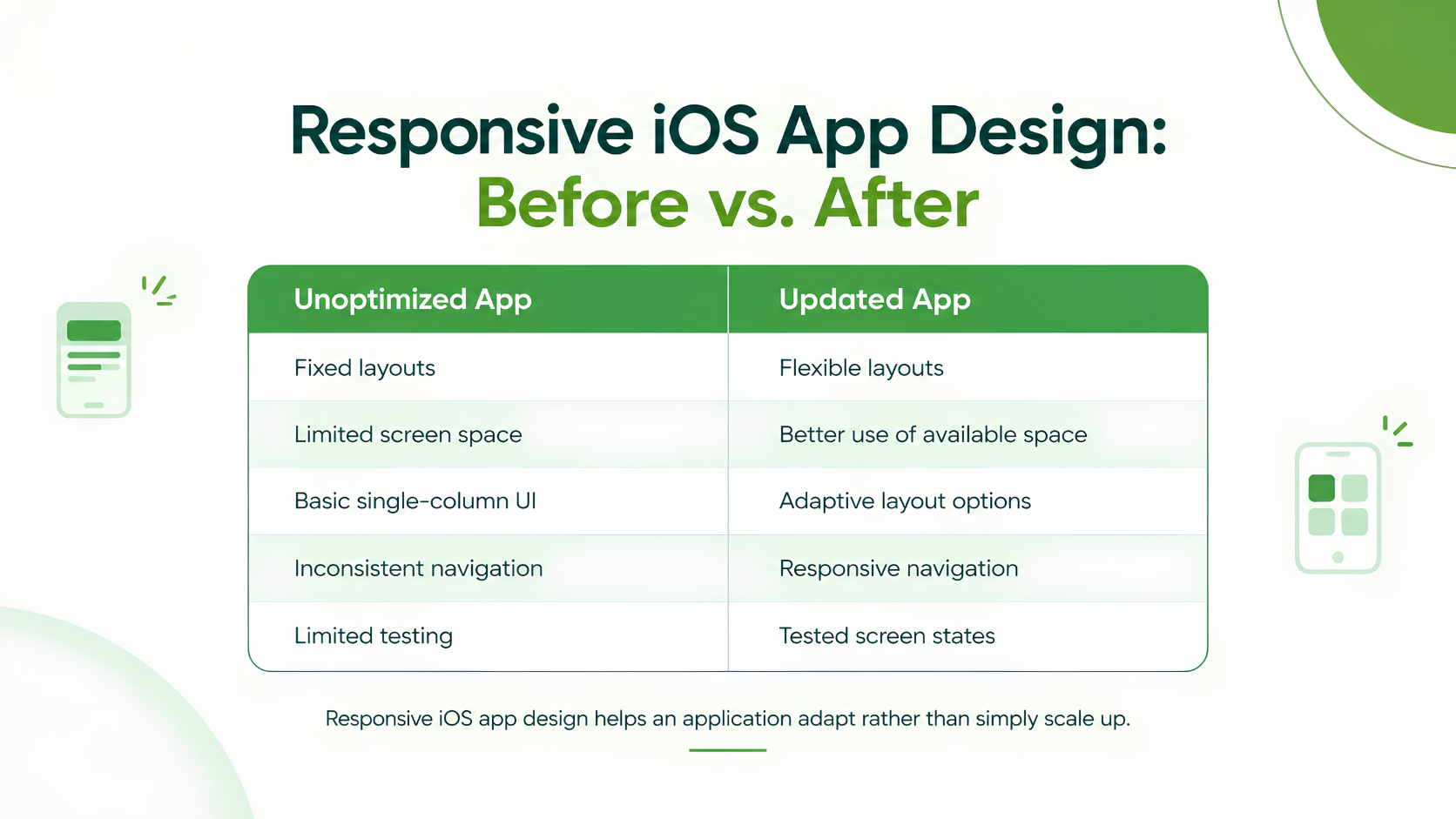
An unoptimized app may:
- Leave valuable screen space unused.
- Rely on fixed-width layouts.
- Display awkward navigation across different screen sizes.
- Fail to preserve a consistent user experience.
Businesses do not necessarily need a complete rebuild. The first step is understanding which parts of the existing app need to change.
Why Prepare Your App for iPhone Duo?
With iPhone Duo scheduled to become available on October 23, 2026, businesses can review their existing iPhone apps before users encounter layout issues.
How to Make Your App Compatible With iPhone Duo
Adapting an existing app starts with responsive iOS app design. The interface should adapt to available screen space instead of relying on fixed dimensions or assumptions about portrait and landscape.
5 Key Updates for Your iPhone App
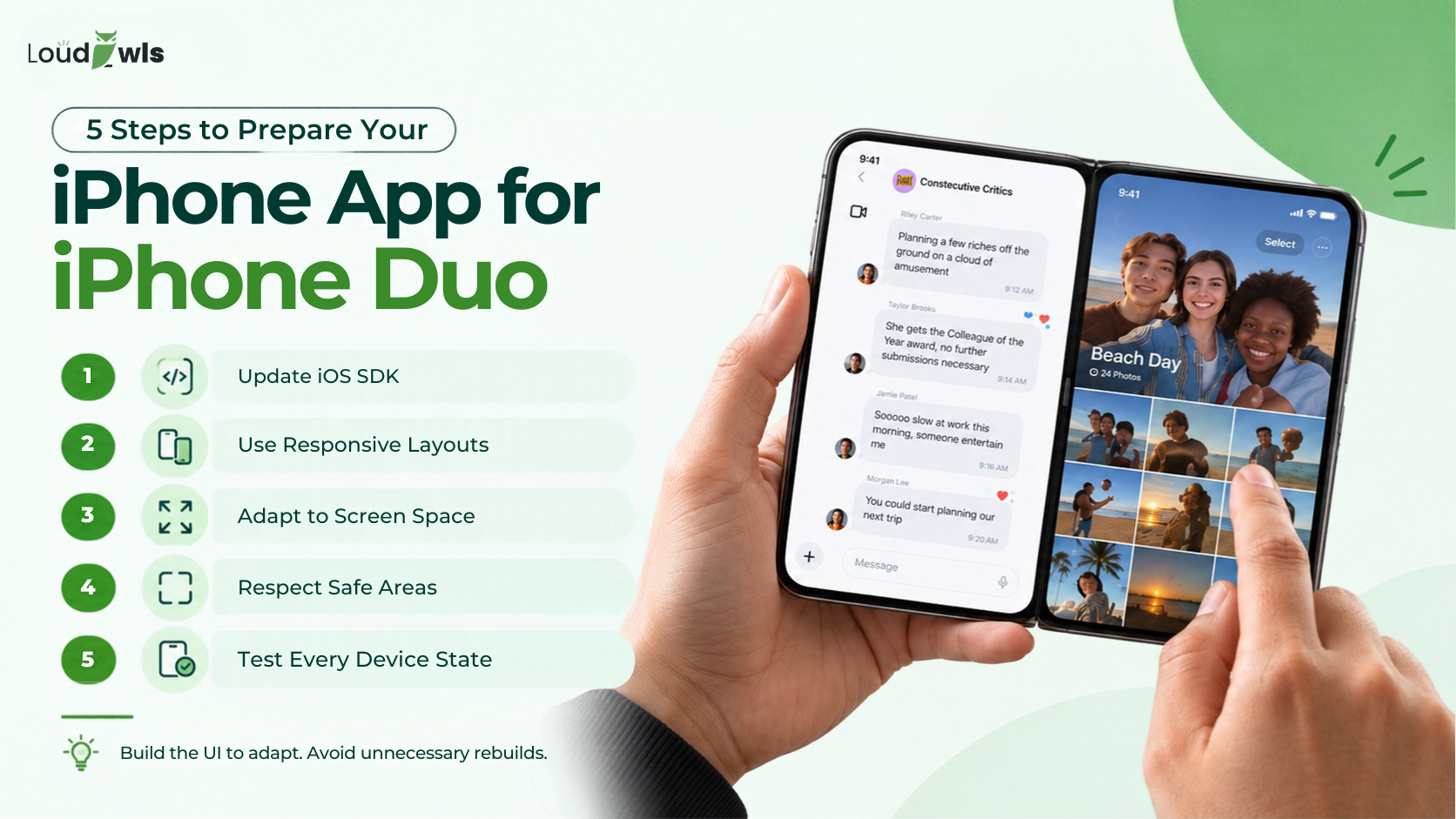
- Update the iOS SDK: Use the appropriate SDK and development tools.
- Use Flexible Layouts: Replace rigid screen dimensions with responsive layouts.
- Adapt to Available Space: Support different screen sizes and window arrangements.
- Handle Safe Areas: Protect content and controls in device-specific regions.
- Test Different Device States: Check folded, unfolded, rotated, and resized layouts where supported.
The goal is simple: make the UI adapt without disrupting the core app experience.
Why Your iPhone App May Leave Space on the Foldable Display
Your app can work on iPhone Duo and still fail to use the available display space effectively.
Older layouts may rely on familiar screen sizes or fixed positioning. When the available space changes, these assumptions can cause content to remain constrained or navigation to feel less natural.
Common Causes of Layout Problems
- Fixed-width UI components.
- Portrait-focused layout assumptions.
- Content that does not adapt to available space.
- Safe-area handling that does not account for different screen regions.
- Navigation that does not adjust to wider layouts.
Foldable iPhone App Design: iOS UI and UX Principles
A foldable iPhone is not just a bigger screen. The app needs to respond to how users access and interact with its available space.
Effective iPhone UI design and iPhone UX design should maintain clear navigation, readable content, and consistent interactions across different layouts.
What Makes a Good Foldable iPhone App?
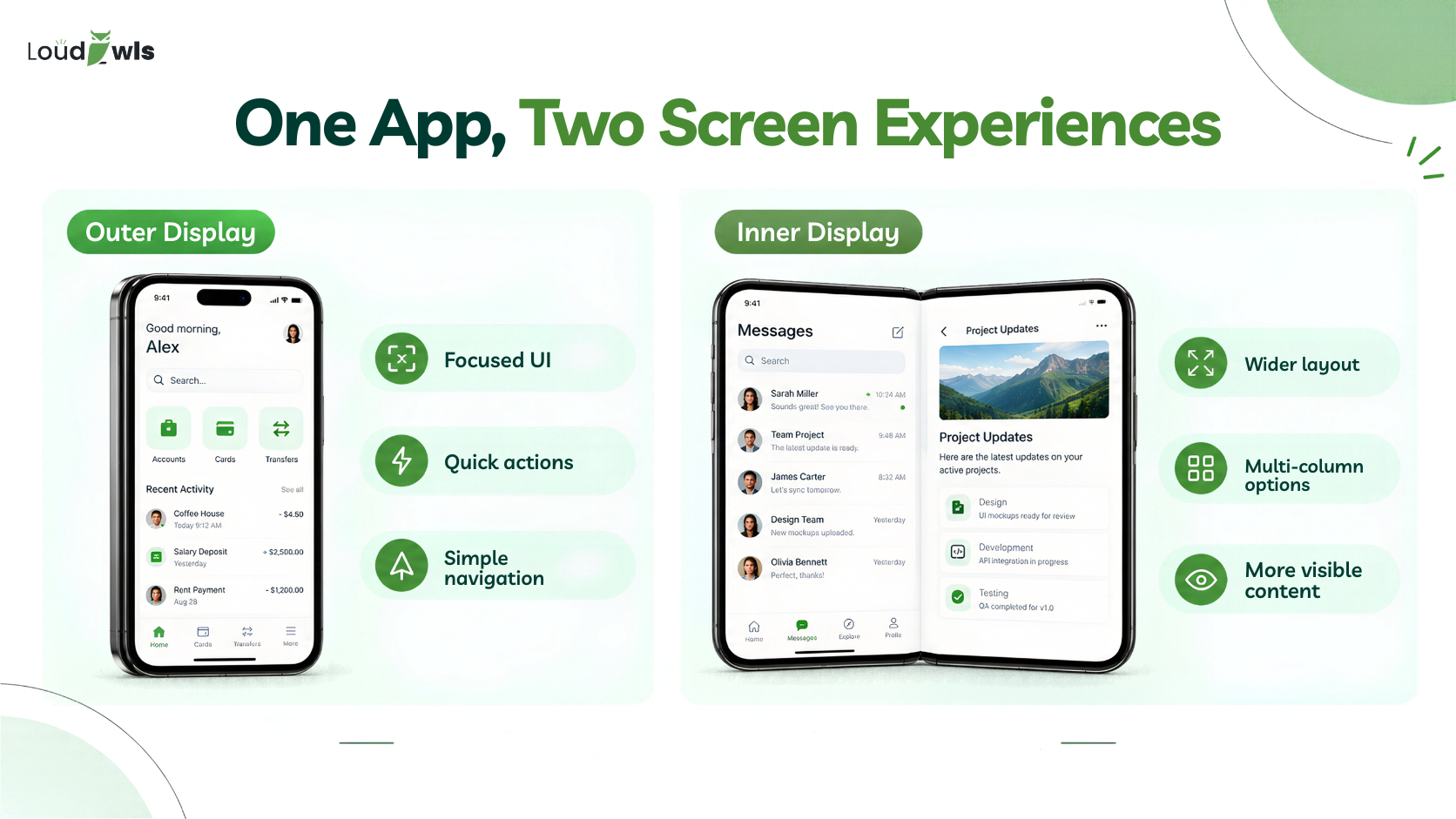
- Adapt the layout: Use additional space for content or multi-column arrangements.
- Maintain consistency: Keep the core experience and information hierarchy familiar.
- Improve accessibility: Ensure important controls remain easy to reach.
- Protect content: Handle safe areas and reserved regions correctly.
- Support resizing: Let the interface respond to changing window sizes.
How Long Does It Take to Update an App for iPhone Duo?
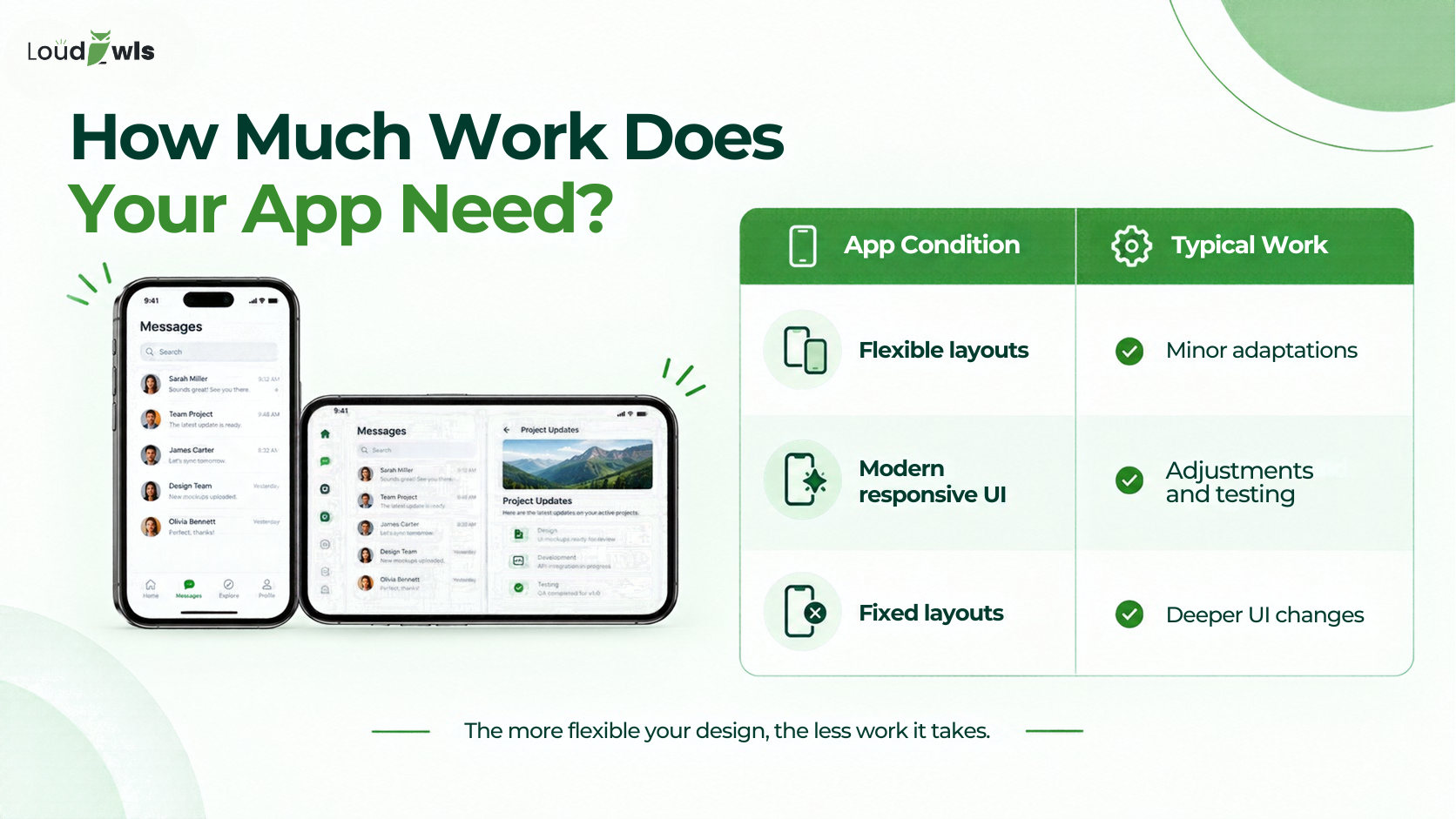
There is no fixed timeline for iPhone Duo app development. The work depends on your app's current architecture, number of screens, existing UI, and testing requirements.
Apps with flexible layouts may need targeted adjustments. Older applications with rigid layouts can require more extensive responsive app design work.
Factors That Affect Development Time
- Existing UI: Flexible layouts are easier to adapt.
- Number of Screens: More screens require more review and testing.
- iPad Support: Existing responsive behaviour may reduce the required work.
- Custom Interfaces: Highly customised screens may need additional changes.
- Testing: Different screen sizes and device states require validation.
Choosing an iOS App Development Company for iPhone Duo
Adapting an existing app requires more than changing screen dimensions. The development team needs to review the UI, implement responsive layouts, and test important user flows.
An experienced iOS app development company can support this process while helping businesses maintain their existing product roadmap.
What to Look for in an iOS App Development Company
- iOS Development Experience: Familiarity with Apple's development tools and platform requirements.
- UI and UX Design: Ability to improve responsive layouts and user interactions.
- Testing Process: Validation across relevant screen sizes and device states.
- Clear Scope: A review of the existing app before recommending major changes.
Why Choose LoudOwls?
LoudOwls provides mobile app and software development services for businesses looking to improve and scale their digital products.
Our work includes native iOS development, including the Motus fitness application built with Swift and SwiftUI.
From responsive iOS app design to implementation and testing, our team can help assess the updates required for your existing app.
iPhone Duo App Development FAQs
1. Will my existing app work on iPhone Duo?
Existing iPhone apps can run on iPhone Duo. However, the app may need layout updates to use the available screen space effectively.
2. Why does my app leave space on iPhone Duo?
Older layouts may continue using a familiar size instead of adapting to the available display space. Responsive UI updates can help address this issue.
3. Do I need a separate app for iPhone Duo?
Not necessarily. An existing iPhone app can be adapted to different screen sizes and layouts. The required work depends on the app's design and technical setup.
4. Should I rebuild or update my app?
Start with an assessment. Apps with flexible layouts may need targeted changes, while rigid interfaces may require more extensive UI updates.
5. Will Flutter and React Native apps work on iPhone Duo?
The experience depends on the framework version, project setup, and how the UI is implemented. Confirm current platform support and test the specific app before making compatibility claims.
6. Will a portrait-only app work on iPhone Duo?
The layout should not rely only on orientation checks. Use available size and layout behaviour to determine how the interface should respond.
7. Does navigation change on iPhone Duo?
It can. A wider display may allow navigation and content to be arranged differently. The interface should adapt while keeping important actions accessible.
8. Can iPhone Duo run two apps side by side?
Confirm the final multitasking capabilities and supported configurations using Apple's current device documentation before publishing this claim.
9. What do I need to test an app for iPhone Duo?
Review supported device states, screen sizes, layouts, navigation, and important user flows using Apple's available development and testing tools.
10. Do existing iPhone apps need special foldable features?
Not necessarily. The priority is responsive UI behaviour. Specialised functionality should be considered based on the app's requirements.
11. How much does it cost to update an app for iPhone Duo?
There is no single price. Cost depends on the app's architecture, number of screens, current UI, and testing requirements. A screen-by-screen audit can provide a more realistic estimate.
12. When should I update my app for iPhone Duo?
Start planning before launch to allow time for UI review, development, and testing. The appropriate schedule depends on the app's current condition and business priorities.