
// Products · Underlay · Camera Studio for Mac
Your camera
behind your apps.
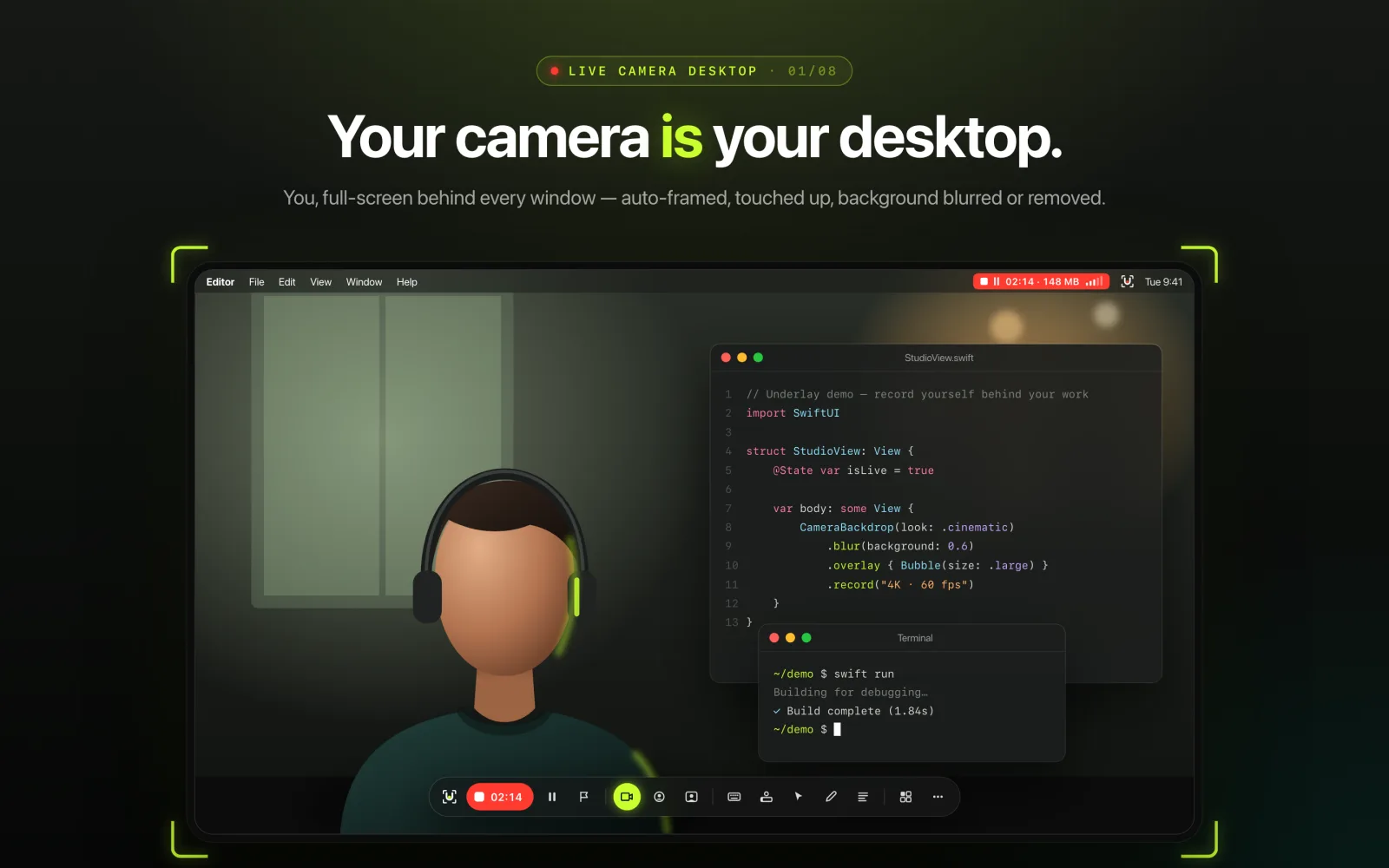
Underlay turns your live camera into your desktop. Your apps float on top, so every screen recording shows you in your space behind your work — the creator look, with no editing and no green screen.
Coming soon to the Mac App Store $19.99 launch price
$29.99
4K · 60
fps recording — full screen, vertical 9:16 or one app
10
cinematic looks, plus log profiles and your own .cube LUTs
0
accounts, trackers or subscriptions
100%
of video, audio and captions stay on your Mac
// Your camera, behind every window
You, your work, and nothing to edit.
- Full-screen camera behind all your windows — built-in, USB, capture-card or iPhone camera
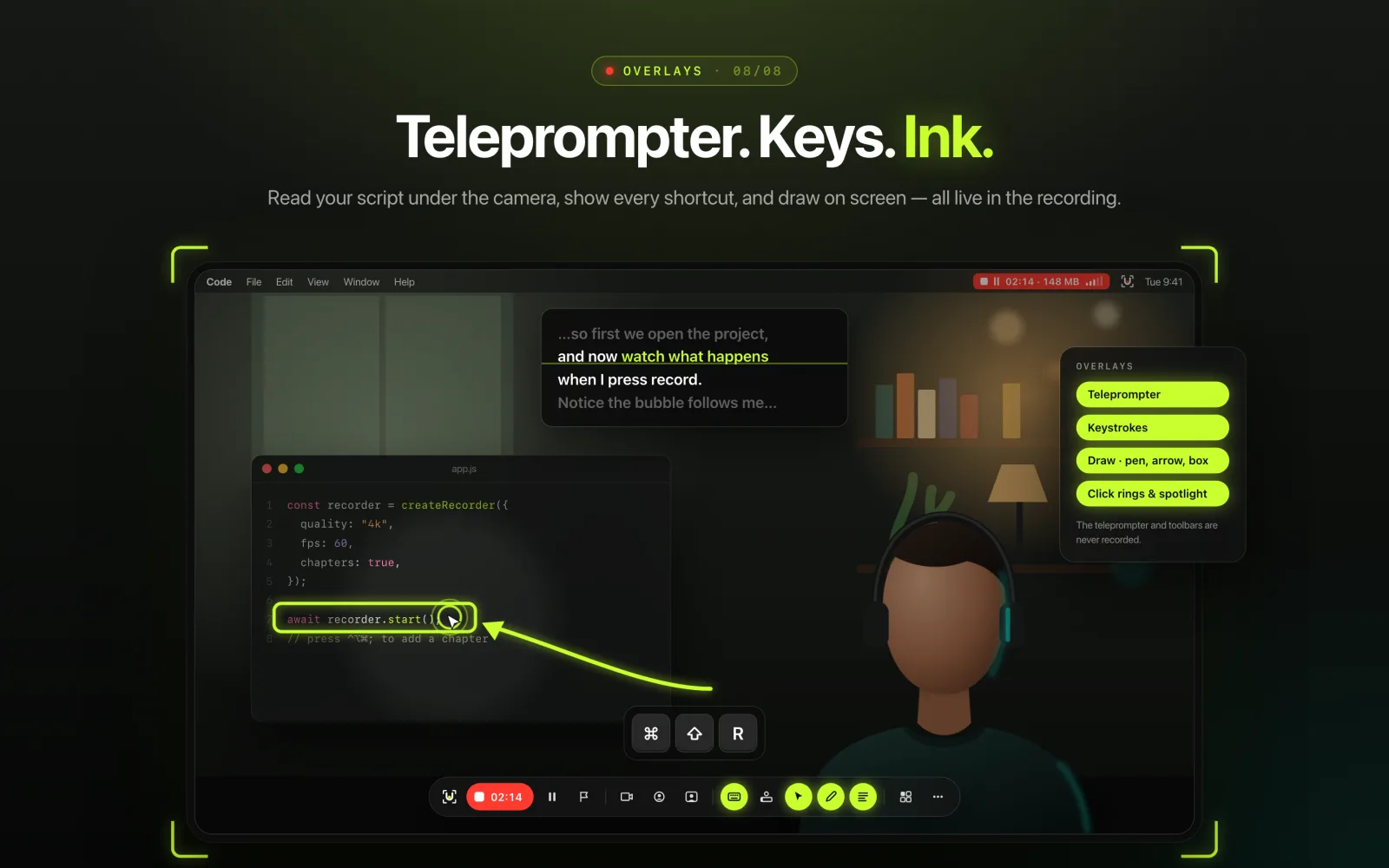
- Camera bubble above your windows, name label, keystroke overlay, click effects, spotlight and drawing
- Background blur, solid color or remove the background (on-device person detection)
- Auto-framing keeps you centered as you move; smooth-skin touch-up and low-light boost
- Teleprompter that only you can see
// Cinematic color
Graded before you record.
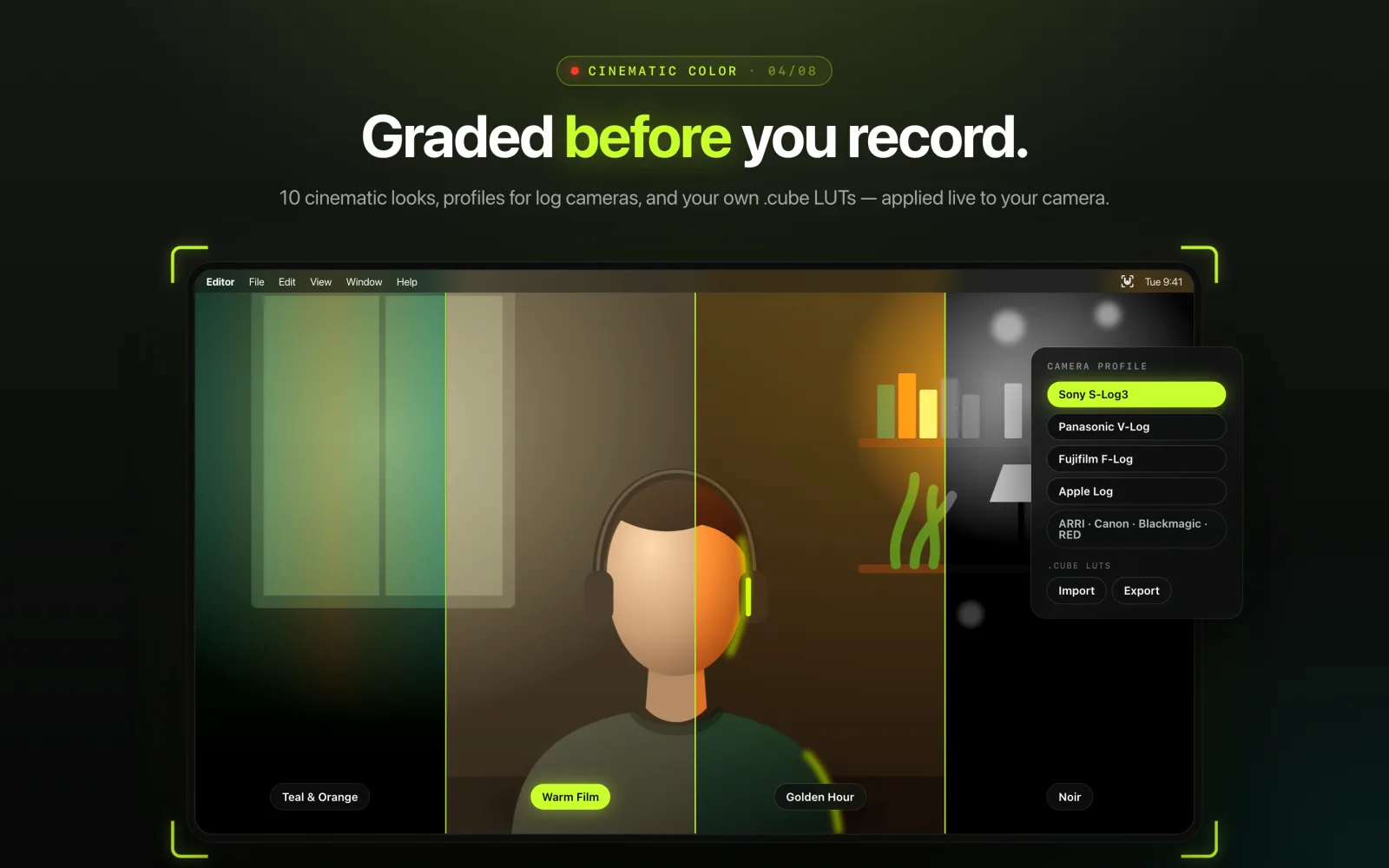
- 10 cinematic looks — Teal & Orange, Warm Film, Golden Hour, Noir, Faded Film and more
- Camera profiles for log footage: Sony S-Log3, Panasonic V-Log, Fujifilm F-Log, Apple Log, ARRI, Canon, Blackmagic, RED
- Import your own .cube LUTs and export your grade for Final Cut Pro or DaVinci Resolve
// Record
Record in 4K. Vertical. One app.
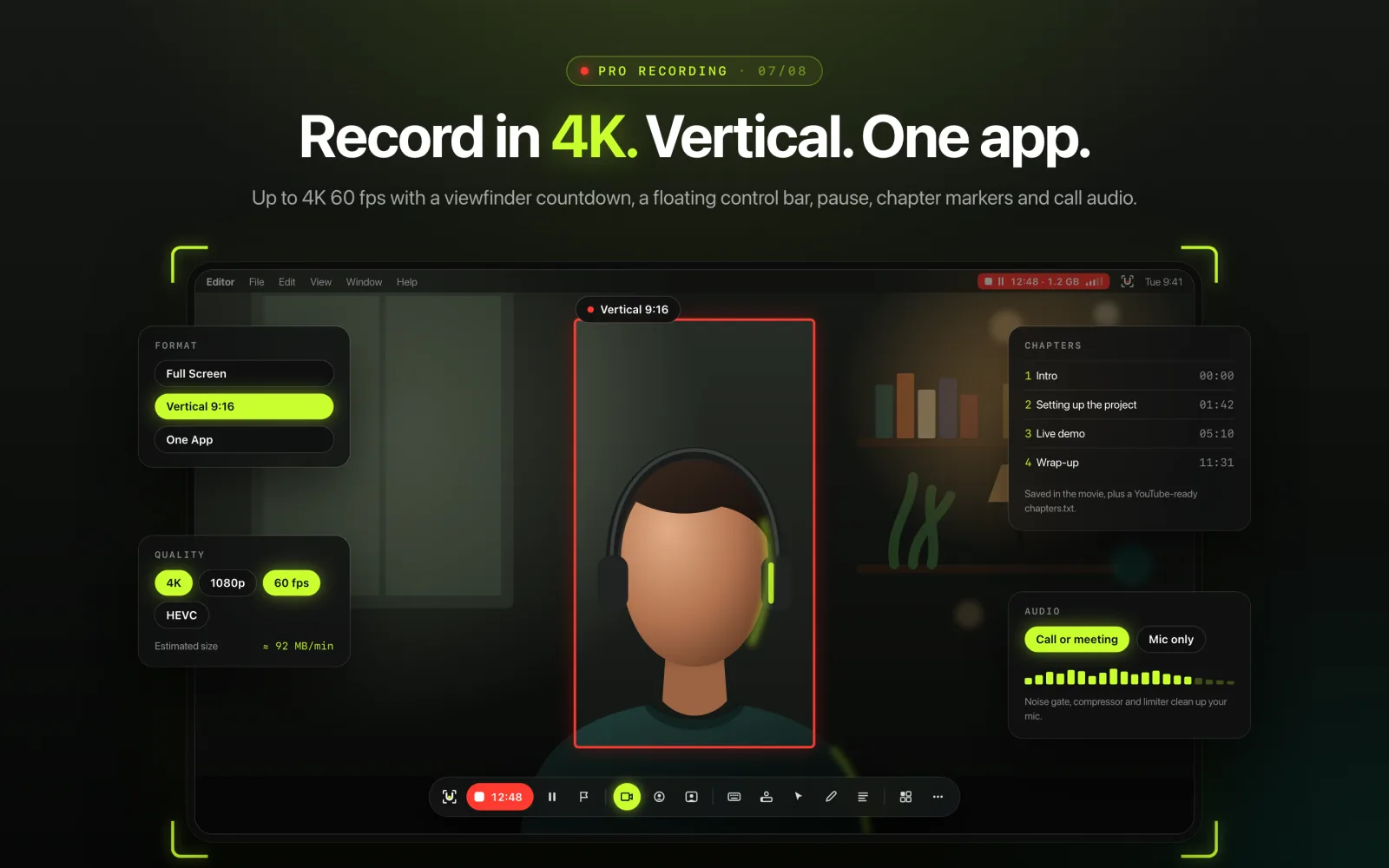
- Full screen, vertical 9:16 or one app — up to 4K, 60 fps, with mic and call audio
- A floating control bar with everything one click away (never in your video)
- Pause, chapter markers, and warnings for a silent mic, low disk space or dropped frames
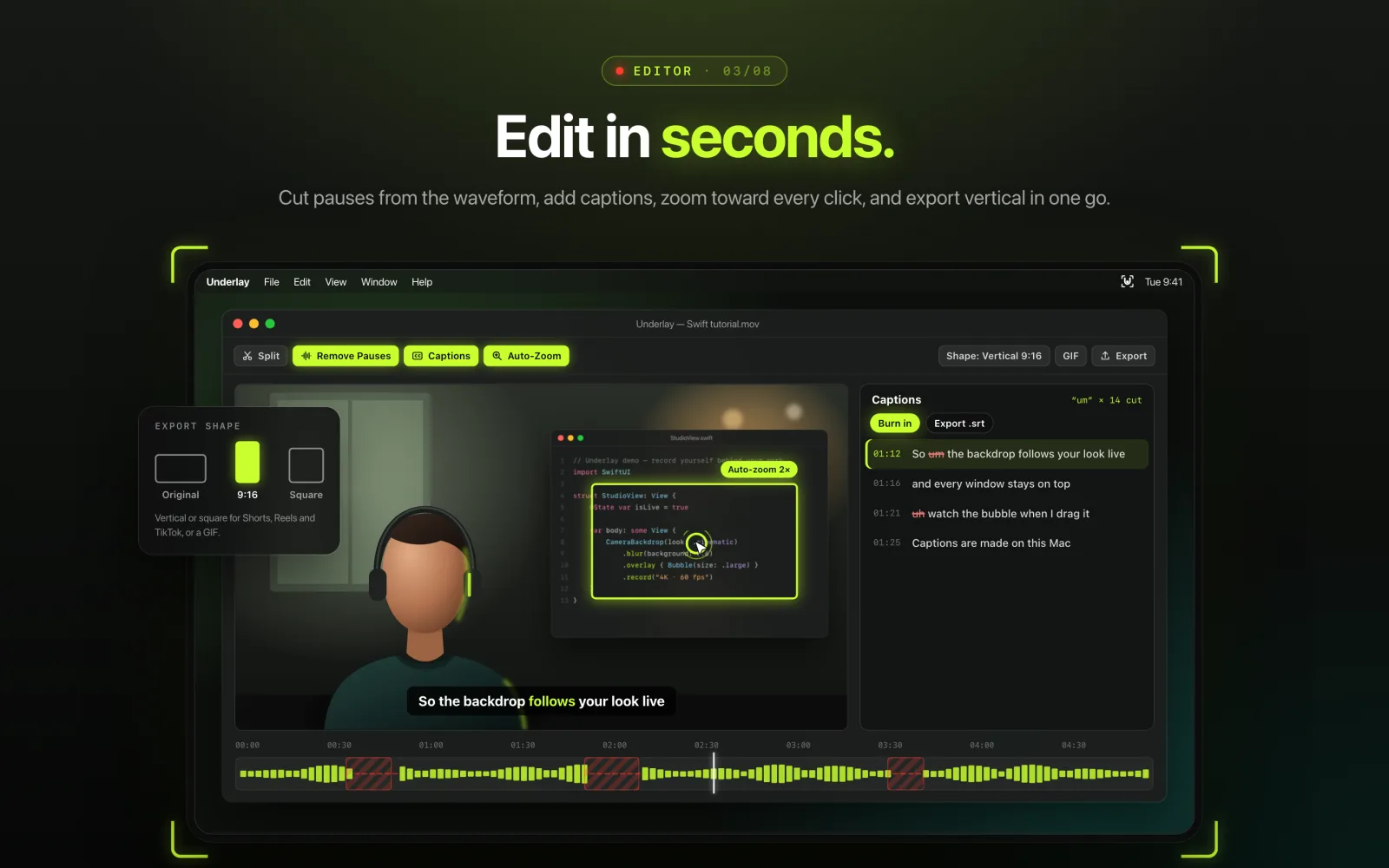
// Edit in seconds
Cut, caption, export.
- Cut with a blade, remove pauses automatically, and zoom the timeline
- Captions made on your Mac — export .srt or burn them in, and cut the “um”s
- Auto-zoom toward every click, and export vertical or square for Shorts, Reels and TikTok
- Export GIFs
// Calls, transcripts & summaries
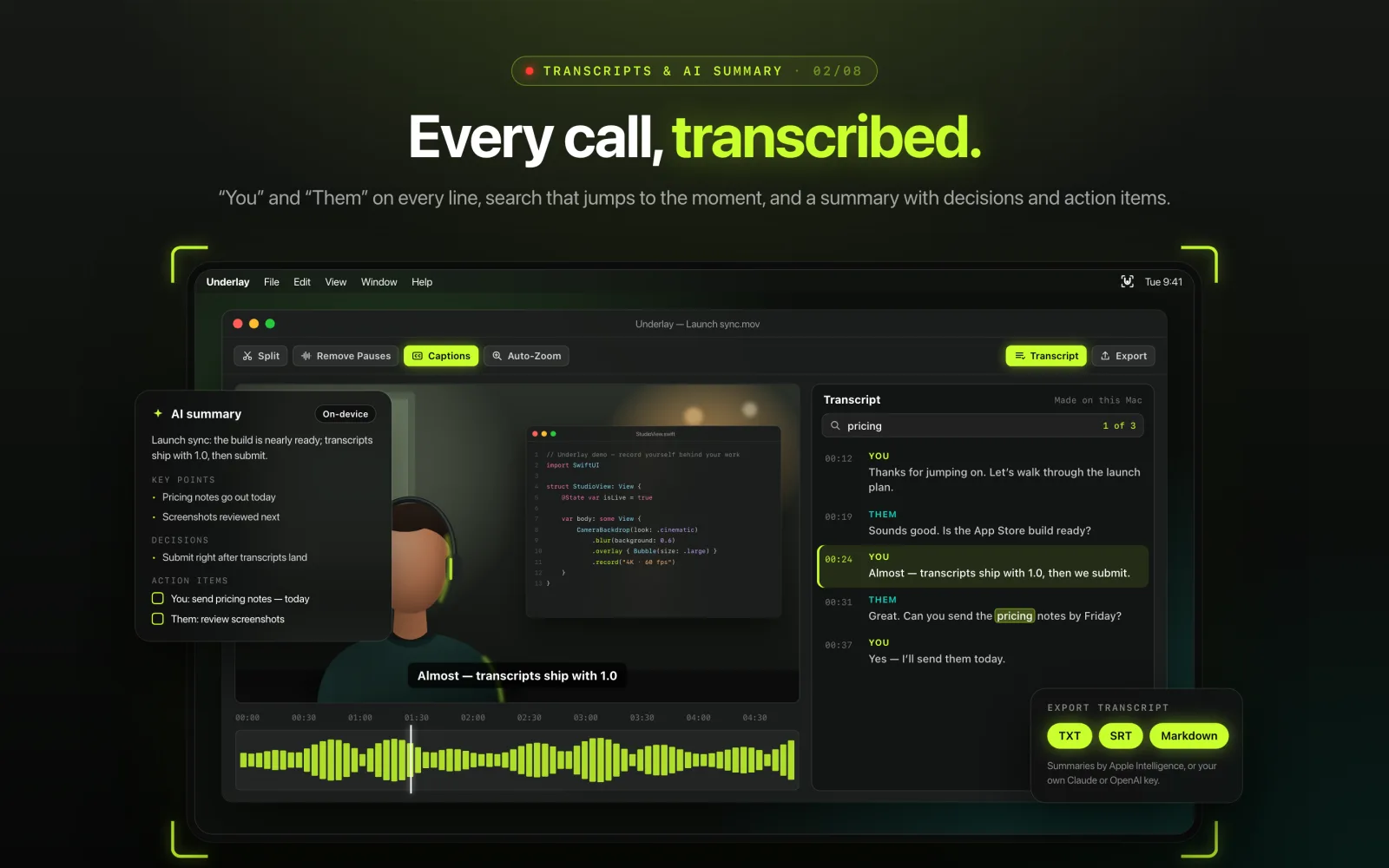
Every call, transcribed.
- Record calls with both sides of the conversation
- Transcripts made on your Mac, with “You” and “Them” — search them and click any line to jump there
- AI summaries with key points, decisions and action items: on-device with Apple Intelligence, or with your own Claude or OpenAI key
- Export transcripts as text, Markdown or subtitles
// Virtual camera
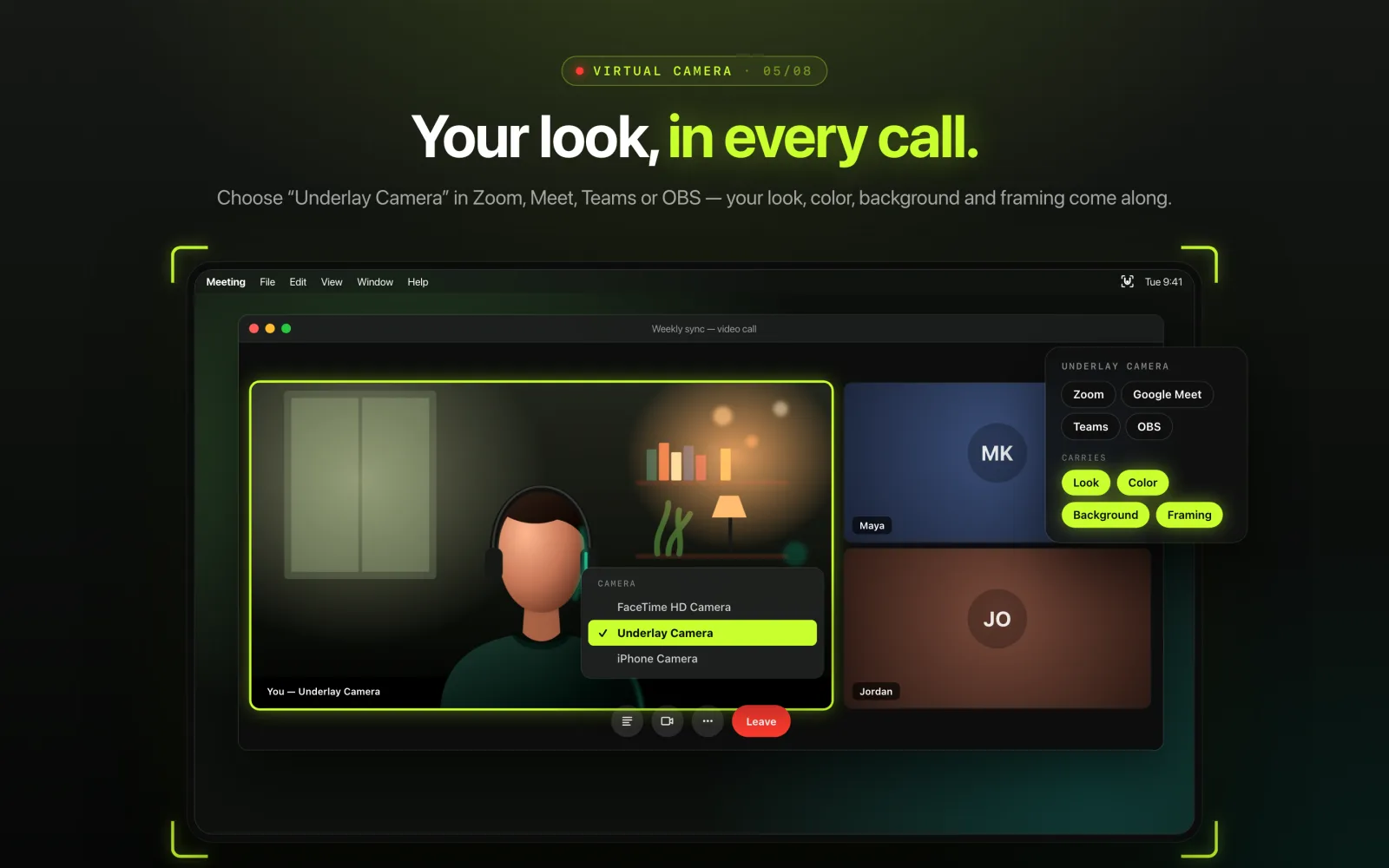
Your look, in every call.
- “Underlay Camera” brings your look, color and background to Zoom, Google Meet, Teams and OBS
// Private
It never leaves
your Mac.
Video, audio, keystrokes and captions never leave your Mac. No account, no tracking, no subscription — one purchase, with free updates for this version.
Read the privacy policy